
Medical Disclaimer: This content is for education only and not medical advice.
Long study hours can drain your body and your focus. If your neck aches, your back feels tight, or your eyes burn after class or late-night study, you are not alone. The fix is not willpower or a fancy chair. It is a simple, repeatable routine that helps your body sit well and reset often. Think of it as a small system you can use every day. It works with any desk and almost any chair. It takes just a minute to set up and two minutes to reset. And yes, it boosts focus too.
This guide shows you the exact steps to follow before you study, while you study, and after 30–40 minutes. You will learn a clear desk setup posture for students, how to sit without pain, and how to keep your mind sharp. Let’s make study posture simple and doable.

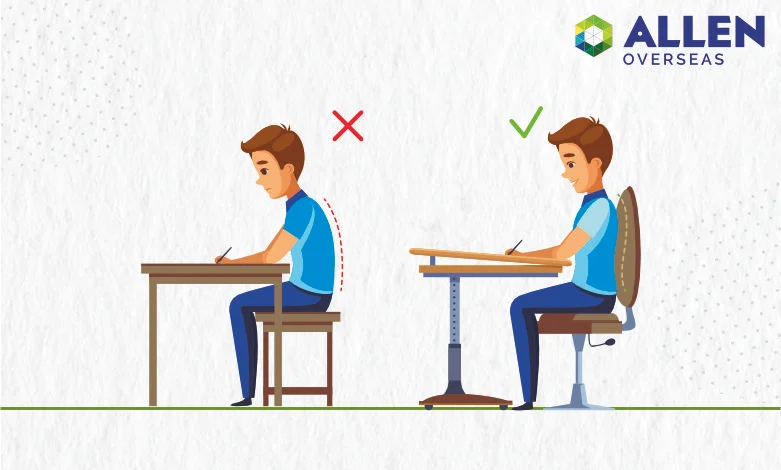
Proper sitting posture means feet flat, hips back, back supported, elbows around 90°, and your screen or book near eye level. Students feel pain from low screens, slouching, and sitting still too long. The quick fix: adjust your setup, sit tall, and take 2–3 minute breaks every 30–40 minutes.
Affiliate Disclosure: Some links in this post may be affiliate links. If you buy through them, we may earn a small commission at no extra cost to you.
A Student’s Typical Study Day (Relatable Hook)
You start upright. Feet on the floor. Eyes fresh. Thirty minutes pass. You lean closer. An hour passes. You slide down the chair. Your lower back rounds. Your neck cranes at the screen. By the second hour, your shoulders burn, and your focus drops. This slow slump is the real problem—not just “bad” posture, but posture that gets worse over time without a reset.
Why Most Students Have Bad Posture
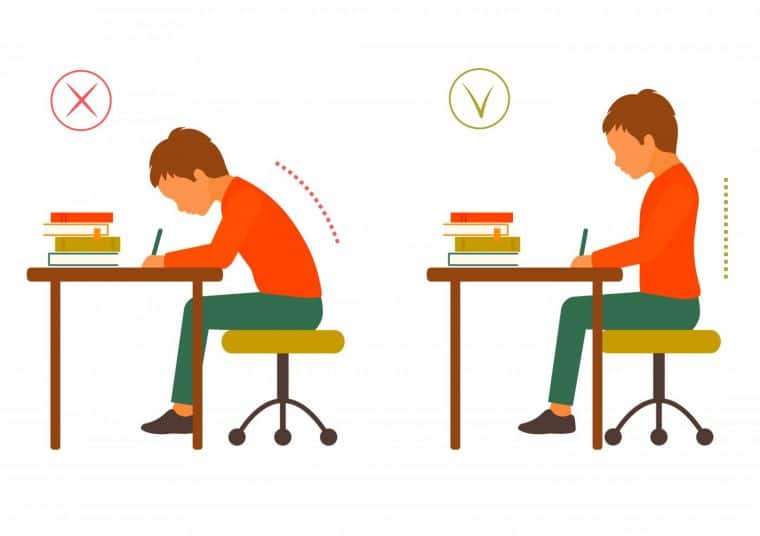
Most students are not lazy. The setup is. Small mismatches between your body and your desk make your body work too hard. Each small strain adds up.
Common causes:
- Desk or chair at the wrong height, so your elbows float or your knees jam
- Studying on the bed, which rounds your back and tilts your neck down
- Laptop set too low, so you crane your neck to see the screen
- Phone in your lap, which folds your neck like a closing book
- No set break plan, so you sit still too long
- Harsh lighting or glare, which makes you squint and lean in

The Correct Sitting Posture (Simple Explanation)
You do not need to sit like a statue. Aim for a “neutral” base. That means your joints line up, your back has support, and your eyes look straight ahead with ease.
Use this quick form:
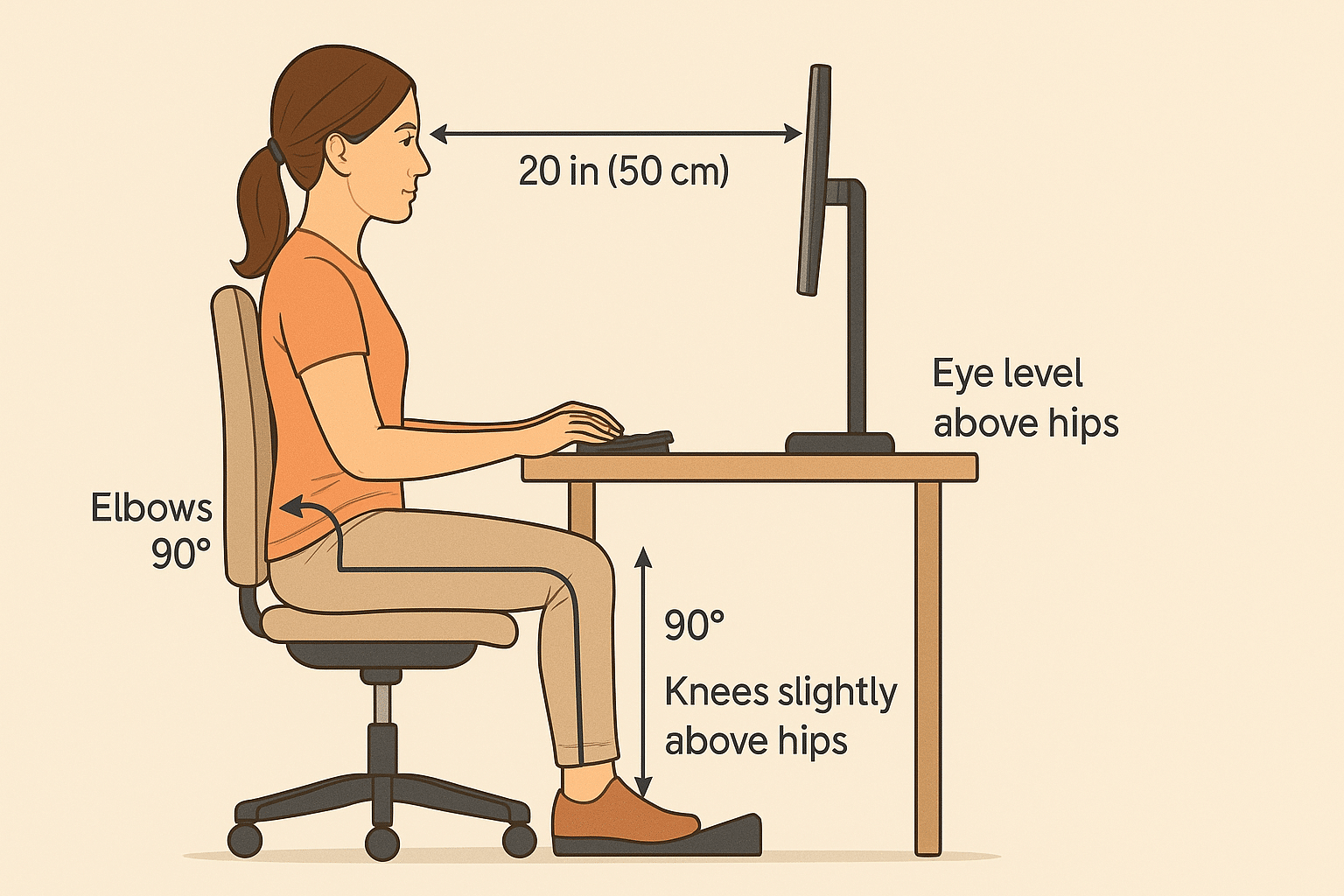
- Feet flat on the floor (or on a footrest), hip-width apart
- Hips back in the chair, with your back supported by the backrest
- Knees at or just below hip height
- Elbows close to 90° with shoulders relaxed
- Screen or book at eye level or just below
- Keep your head over your shoulders, not poking forward
– Keep items you use often within easy reach

The 3-Step Study Posture Routine (MAIN HOOK)
This is the system you can use every day. It takes less than 60 seconds to set up and two minutes to reset. Use it for laptop work or book study. Your body and your grades will thank you.

Step 1: Before Studying
Take 60 seconds to dial in your setup so you do not drift into a slump.
- Chair: Slide hips back. Sit tall and let your back touch the backrest.
- Feet: Place flat on the floor. If feet dangle, use a box or a footrest.
- Height: Set chair so knees are level with or slightly lower than hips.
- Arms: Raise or lower your seat so elbows are near 90° on the desk.
- Screen/Book: Raise to eye level. Use a stand or stack of books.
- Light: Aim light from the side, not from behind your screen.
- Timer: Set a 30–40 minute timer for a quick stand and reset.
Step 2: While Studying
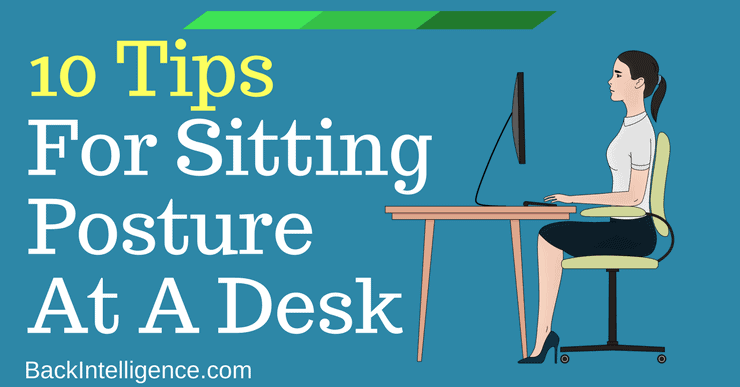
Use small cues to maintain a neutral base. You are not trying to be stiff. You are trying to avoid the slow slide into a curl.
- Neck: Keep your chin tucked slightly. Imagine a string lifting the crown of your head.
- Shoulders: Drop them down away from your ears. Relax your jaw.
- Elbows: Keep them close to your sides. Do not flare them out wide.
- Hands: Rest lightly on keyboard, book, or mouse. Avoid wrist bends.
- Micro-moves: Every 10–15 minutes, shift your weight, roll your shoulders once, or stretch your fingers.
- Eyes: Use 20-20-20 rule. Every 20 minutes, look 20 feet away for 20 seconds.
- Breathing: Take a slow breath now and then to release tension.
Step 3: After 30–40 Minutes
Stand up. You earn this break. Two to three minutes is enough to reset your back, hips, and eyes.
- Stand and walk to the door and back.
- Shoulder openers: Interlace fingers, press palms forward, round upper back, then open chest.
- Hip reset: Place one foot on a chair, hinge forward to stretch the back of the thigh.
- Spine: Hands on hips, gently extend your back (no pain).
- Neck: Slowly nod yes and turn side to side.
- Reset: Sit down and redo Step 1 setup in 30 seconds.
Common Mistakes Students Make
Avoid these traps. They waste effort and cause pain even with a “good” setup.
- Slouching into the chair and letting the lower back round
- Bending too close to the screen or book
- No breaks for 90+ minutes
- Studying on the bed or couch for long periods
- Resting laptop on thighs for hours
- Working in dim light, which forces a lean-in posture
Laptop vs Book Study Posture
You need small changes based on what you are using. Laptops and books create different angles and loads. Match your setup to the task.
- Laptop
- Raise the screen to eye level with a stand or stacked books.
- Use an external keyboard and mouse so elbows stay at 90°.
- Keep the screen 20–28 inches from your eyes.
- Sit back into the chair with your back supported.
- Book or Notes
- Use a book stand at 45–60° to avoid neck flex.
- Keep the top of the page near eye level.
- Anchor your elbows on the desk to relax your shoulders.
- For handwriting, tilt the page so your wrist stays neutral.
Setup Tips for Short and Tall Students
Your body size changes how you meet the desk. Small tweaks solve big issues.
- If you are shorter:
- Raise the chair so elbows reach the desk with ease.
- Use a footrest or a box so feet are flat and stable.
- Choose a thinner seat cushion if your knees hit the desk.
- Bring the screen closer (but still at eye level) to reduce lean-in.
- If you are taller:
- Lower the chair so knees are not jammed under the desk.
- If elbows are too low, raise the desk or use a thicker cushion.
- Push the screen back to 24–28 inches to avoid hunching.
- Pick a lumbar support chair with a higher back.
Small Changes That Make a Big Difference
Tiny fixes pay off fast. Do these first. You will feel the change in a day.
- Foot position: Flat and stable feet stop the low-back slump.
- Screen height: Raise it so your eyes look straight ahead.
- Lighting: Side light reduces glare and squinting.
- Chair depth: Slide hips back; keep a small gap behind your knees.
- Desk reach: Keep daily tools within easy reach to avoid leaning.
Simple Tools That Improve Posture
You can apply this routine with what you have. Tools can still help you hold form with less thought.
- Study chair: Look for height adjust, seat depth, and firm back support. See our chair picks in the chair guide (/chair-guide).
- Footrest: A simple footrest helps shorter students keep feet flat. Try our top choices in the footrest guide (/footrest-guide).
- Lumbar support: A small cushion or rolled towel behind your lower back can stop slouching.
- Laptop stand: Lifts your screen to eye level in seconds.
- External keyboard and mouse: Lets your shoulders stay relaxed while the screen sits high.
- For more setup ideas, browse the posture guide (/posture-guide).
1-Minute Daily Posture Check
Do this once each day. It trains your body to find a good base fast.
- Feet flat, hip-width. Knees level with or just below hips.
- Hips back in the chair. Back touches the backrest.
- Elbows near 90°. Shoulders down. Jaw relaxed.
- Screen or book at eye level. No crane neck.
- Light from the side. No harsh glare.
- Timer set for 30–40 minutes. Plan your stand and reset.
Warning Signs of Poor Posture
If you feel any of these often, change your setup and routine now.
- Neck pain or tightness, often worse by night
- Mid-back or low back ache, sharp or dull
- Shoulder fatigue or a heavy, rounded feel
- Headaches behind the eyes or at the base of the skull
- Tingling or numb fingers from bent wrists
- Blurry vision or dry eyes after long screen time
Don’t Try to Sit Perfectly All Day
Perfect stillness is not the goal. Your body loves small movement. The best sitting posture for studying is the next one you switch to with control. Set a good base, then make micro-moves and take brief stand breaks.
- Shift your weight now and then.
- Roll shoulders once or twice each block.
- Change leg positions without crossing tight.
- Stand and reset every 30–40 minutes.
- Save long stretches and workouts for after study.
FAQs
Q: How high should my desk be for the best study posture?
A: Aim for a desk height where your elbows are near 90° when your shoulders are relaxed and your hands rest on the surface. If the desk is fixed and too high, raise your chair and use a footrest. If it is too low, add risers.
Q: Is it bad to study on my bed?
A: For quick reads, it is fine. For long sessions, it strains your neck and back. Beds make you round your spine and tilt your head down. Sit at a desk with back support. If you must use a bed, prop up with pillows and use a book stand.
Q: How often should I take breaks during study?
A: Take a 2–3 minute stand-and-reset break every 30–40 minutes. Set a timer. During the break, walk, open your chest, and stretch your hips. This routine helps focus, mood, and posture more than one long break after hours.
Q: What if my chair has no lumbar support?
A: Use a small pillow or a rolled towel at the small of your back. Place it where your belt would sit. This simple trick keeps your hips back and stops the slow slump. It is cheap and works well.
Conclusion
You do not need a new spine or a new desk. You need a simple system you can use every day. Set up before you start. Hold form with small moves while you work. Stand and reset every 30–40 minutes. With this routine, your desk posture for students becomes a habit, your pain eases, and your focus grows—one short block at a time.


