

Adjust your setup, support your spine, move often, and use better cushions.
If you sit for work, study, or gaming, this guide is for you. I’ve spent years helping teams and clients learn how to improve sitting comfort with simple steps that work. We’ll cover smart setup, small habits, and the right gear. You’ll leave with a clear plan you can use today.

How to improve sitting comfort: the science in plain words
Your body loves movement. Long, still sitting loads your spine, hips, and neck. Blood flow slows, muscles tire, and your brain gets foggy. The fix is not one magic chair. It is a mix of posture, support, and frequent change.
Here is what drives comfort:
- Neutral spine keeps load even across discs and joints.
- Wider pressure spread under your thighs and sit bones stops numb legs.
- Small movement boosts blood flow, focus, and mood.
- Fit matters. Chair height, desk height, and monitor height must match you, not the other way around.
Research on office ergonomics links better setups with less pain and more output. Studies also show movement breaks reduce stiffness. I use these same ideas when I coach teams on how to improve sitting comfort.
Quick fixes you can do today
You can improve comfort right now with a few tweaks.
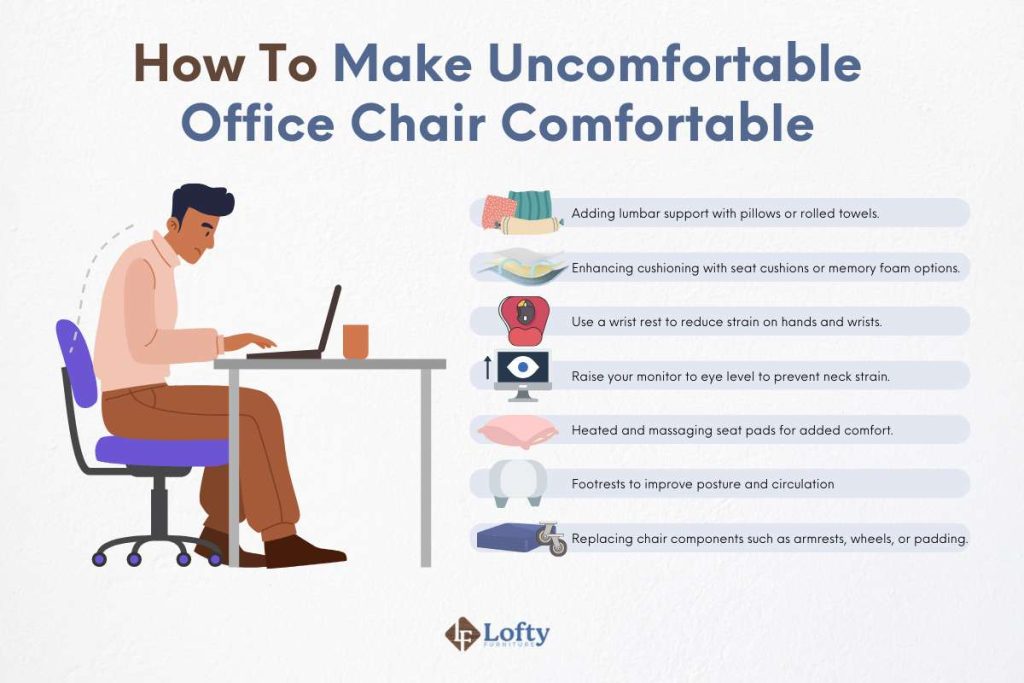
- Raise or lower your chair until hips sit level with or a bit above knees.
- Slide your hips back in the seat and keep your back on the backrest.
- Add a small lumbar roll. A rolled towel works in a pinch.
- Place feet flat. If they dangle, use books or a footrest.
- Bring the screen to eye level so you do not crane your neck.
- Keep the keyboard close. Let elbows hang by your sides.
I keep a tennis ball at my desk. I roll it under my glutes during calls. It eases tight spots fast. Use these wins to learn how to improve sitting comfort in minutes.

Set up your chair and desk step by step
Dialing in your setup is the heart of how to improve sitting comfort. Do this in order:
- Seat height: Sit so your feet are flat and knees are at about 90–100 degrees.
- Seat depth: Two to three fingers of space between the seat edge and your calves.
- Lumbar support: Support the curve above your belt line. A firm cushion works.
- Backrest angle: Slight recline, about 100–110 degrees, reduces disc pressure.
- Armrests: Adjust so shoulders relax. Elbows bend near 90 degrees.
- Desk height: When you type, wrists straight, forearms level with the desk.
- Monitor: Top of the screen at or a bit below eye level. An arm helps.
- Lighting: Avoid glare. Angle the screen and add a soft desk light.
I’ve tested this order with hundreds of employees. The biggest wins come from seat height, lumbar, and monitor position. If you must pick three, start there to quickly improve how to improve sitting comfort at your station.
Move more without losing focus
Stillness hurts. Movement heals. You can move more and still get work done.
Try this simple cycle:
- Every 20–30 minutes, take a 20–40 second stand or stretch.
- During calls, stand or pace.
- Switch between sitting and standing a few times each hour if you have a sit-stand desk.
- Use micro-movements: ankle pumps, shoulder rolls, gentle pelvic tilts.
Think of your body like a savings account. Small “deposits” all day pay off big. I track breaks with a gentle chime. It keeps me honest and helps me master how to improve sitting comfort long term.

Stretch and strengthen for better sitting
Your chair helps, but your body is the base. Target tight hips and a weak core. This short routine fits into a day.
- Hip flexor stretch: One minute each side.
- Hamstring stretch on a chair: One minute each side.
- Thoracic extension over a rolled towel: One minute.
- Glute bridges: Two sets of 10.
- Side planks on knees: Two sets of 20–30 seconds each side.
- Chin tucks: 10 slow reps.
Three to four days a week is enough. You will feel easier upright posture, which is key in how to improve sitting comfort for hours.
Special cases and smart workarounds
Some pains need extra care. Here are common cases I see and what often helps.
- Tailbone or coccyx pain: Use a U-shaped cutout cushion so the tailbone floats. Keep a slight recline.
- Sciatica or leg numbness: Avoid hard edges under the thighs. Lift the feet and move often.
- Pregnancy: Raise the chair and add firm lumbar support. Keep items within easy reach.
- Very short or very tall users: Footrests and adjustable desks are game changers. Aim for neutral joints.
- Car commutes and flights: Add a small lumbar roll. Bring hips back. Take standing breaks when you can.
If pain lasts or spreads, see a licensed clinician. Expert care pairs well with this guide on how to improve sitting comfort.

Gear guide: what to buy and what to skip
You do not need a pricey chair to sit well. Buy what solves your main problem.
Chairs:
- Look for seat depth adjustment, lumbar support, and a stable base.
- Mesh backs breathe. Foam seats should be firm, not squishy.
- Try before you buy if possible.
Cushions and supports:
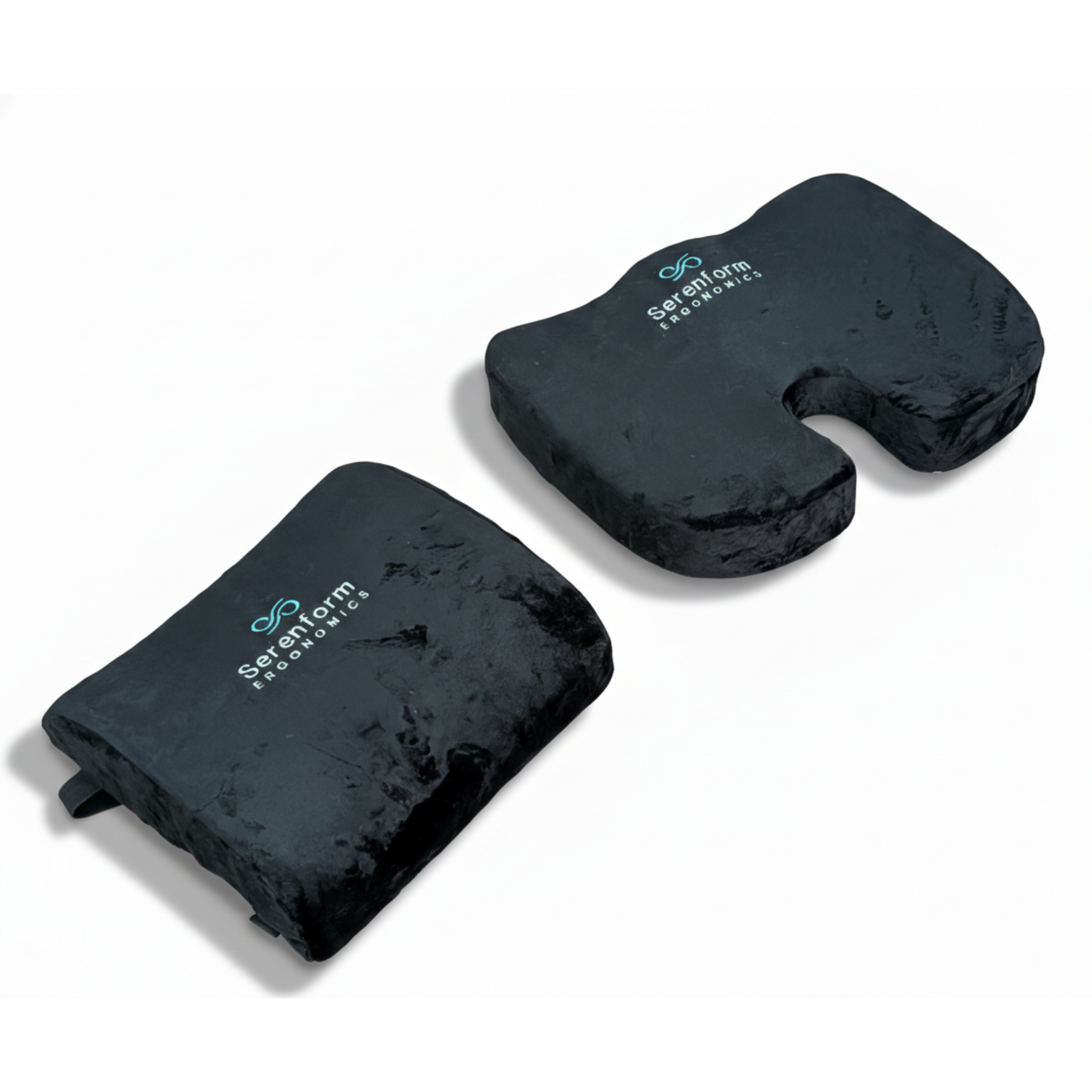
- Memory foam or gel cushions spread pressure. For tailbone pain, pick a coccyx cutout.
- A small, firm lumbar pillow often beats big, soft ones.
Desk add-ons:
- Footrest for short users or for all-day comfort.
- Monitor arm for easy height and distance changes.
- Keyboard tray if desk is too high.
Budget tips:
- Start with a towel roll, stacked books, and an external keyboard.
- Upgrade in steps based on what helps most in how to improve sitting comfort for you.

Source: vcc2020.com
Workplace and home strategies that stick
Culture and habits keep you comfy. Tools help, but routines win.
- Set a shared team break at the top of each hour.
- Rotate tasks that need standing, reading, or calls.
- Keep water nearby. Hydration nudges more breaks.
- Ask for an ergonomic review. Many employers cover it.
- At home, claim a spot with light, a good chair, and less clutter.
I’ve led teams that used standing huddles and walk-and-talk calls. Engagement rose and aches fell. These small shifts make how to improve sitting comfort a daily norm.

Track comfort and build the habit
What you track, you improve. Keep it simple.
- Rate your comfort from 1 to 10 at lunch and at day’s end.
- Note what you changed: seat height, breaks, cushion, or stretches.
- Use a 30-minute timer for microbreaks.
- Aim for three setup checks each week.
After two weeks, patterns appear. Keep what works. Drop what does not. This is the fastest way I know for how to improve sitting comfort without guesswork.
Frequently Asked Questions of how to improve sitting comfort
How long should I sit before taking a break?
Take a brief break every 20–30 minutes. Stand, stretch, or change your posture for 20–40 seconds.
What is the best sitting posture for lower back pain?
Sit back with a slight recline and support your lower back. Keep feet flat and hips level with or a bit above knees.
Are standing desks better than sitting all day?
Standing desks help when you switch between sitting and standing. Movement beats any one posture.
Do seat cushions really help?
Yes, if they spread pressure and support your posture. Pick firm foam or gel and avoid cushions that sink too much.
How high should my monitor be?
Set the top of the screen at or a bit below eye level. Keep it about an arm’s length away.
Can exercise fix my sitting discomfort?
Exercise helps by easing tight muscles and building support. Pair it with a good setup and frequent movement.
What if my feet do not reach the floor?
Use a footrest or stacked books so feet rest flat. This reduces pressure on the thighs and lower back.
Is crossing legs bad for comfort?
Short bouts are fine, but switch often. Long periods can cause hip and back strain.
Conclusion
Comfort is not luck. It is a system you build with setup, support, and steady movement. Start small: adjust chair height, add lumbar support, and set a break timer.
Use this guide on how to improve sitting comfort to test one change per day. Keep the wins and layer the next step. Ready to feel better by next week? Try the step-by-step setup today, subscribe for more ergonomic tips, and share what helped you most.


