

An ergonomic keyboard is a keyboard designed to reduce strain and support neutral posture.
If you have asked what is an ergonomic keyboard, this guide is for you. I have helped teams choose, set up, and master these tools. You will learn how these keyboards work, when they help, and how to pick one with care. By the end, you will know what is an ergonomic keyboard, why it matters, and how to get real comfort gains.
Affiliate Disclosure: This article may contain affiliate links. ErgonomicZone may earn a commission at no extra cost to you if you make a purchase through these links.

Source: nytimes.com
What is an ergonomic keyboard?
An ergonomic keyboard is built to fit the human body. It aims to keep your wrists straight, your shoulders relaxed, and your fingers in a short, easy reach. It lowers awkward angles and force. It helps you type longer with less pain.
Core design goals include:
- Neutral wrist angle Your wrists stay straight, not bent inward or outward.
- Low forearm twist Your palms face in a relaxed way, not flat to the desk.
- Short reach Keys you use often sit close to home row.
- Low force Keys do not need extra effort to press.
Common features:
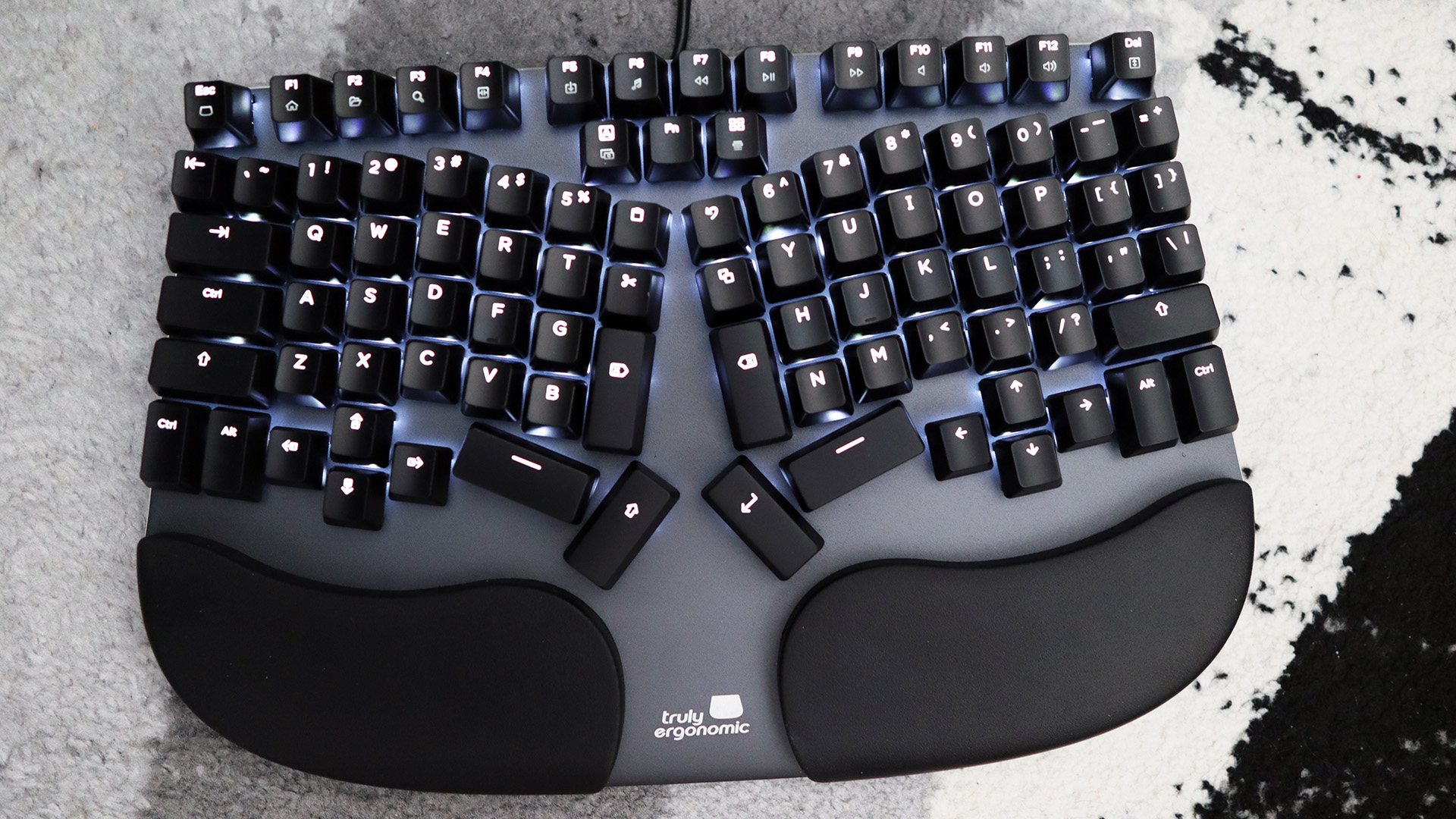
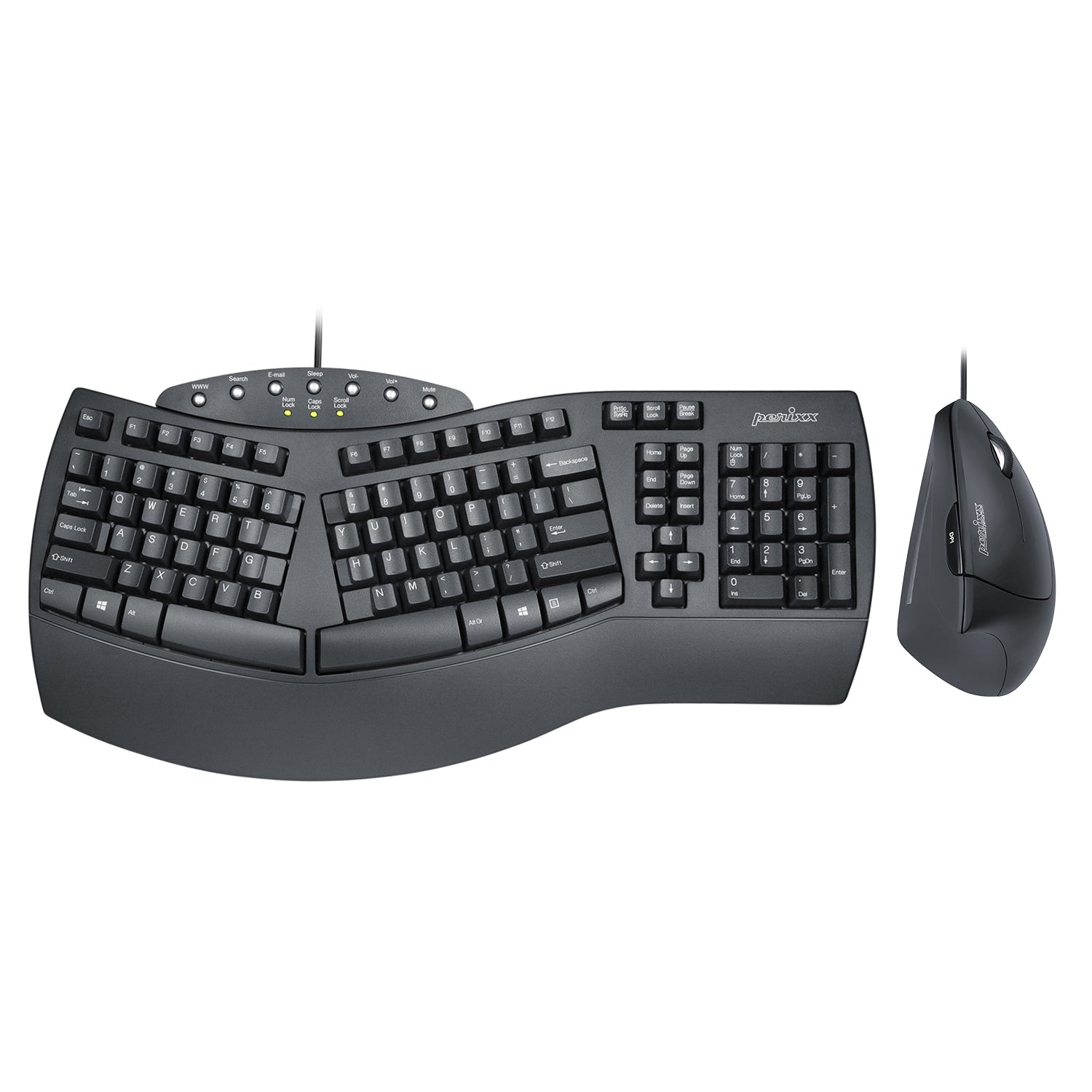
- Split or curved layout for shoulder and wrist relief.
- Tenting to raise the inner edges to match your arm angle.
- Negative tilt to angle the front edge down.
- Columnar or ortholinear rows to reduce finger splay.
- Palm support that carries weight without pushing up on wrists.
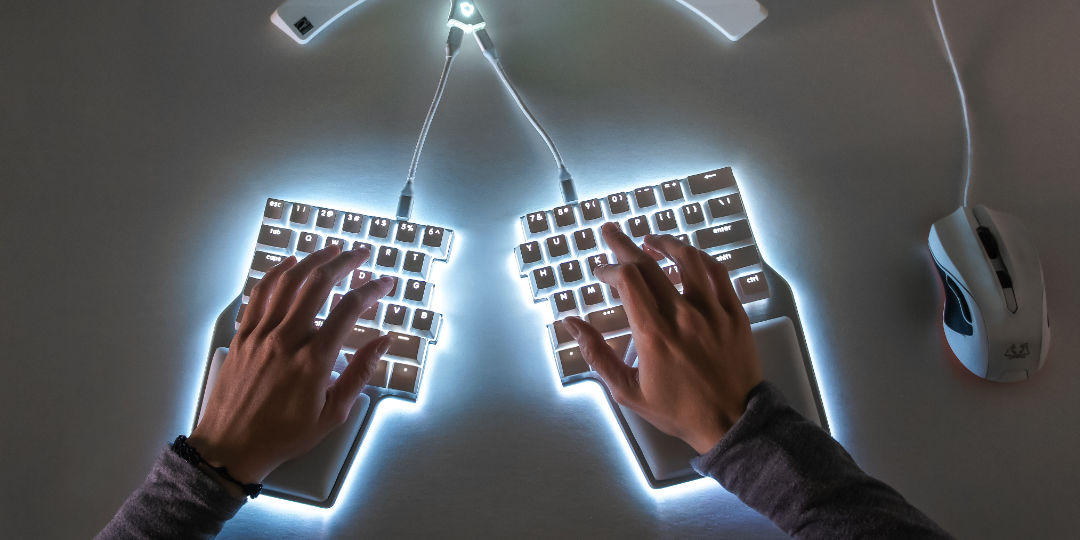
If you wonder what is an ergonomic keyboard in practice, think of a split board that lets each hand sit where it feels right. It shifts the tool to you, not you to the tool.

Source: goldtouch.com
Why ergonomics matters
Many people feel wrist, hand, or shoulder pain from long typing. Repeated strain can lead to numbness, burning, or weak grip. It can also form habits that are hard to fix.
Research in work health links risk to wrist bend, forearm twist, and high key force. A neutral setup lowers nerve and tendon load. It can ease signs linked to carpal tunnel and tendon strain.
Still, a keyboard is one part of the setup. Chair height, desk height, mouse use, and breaks all count. Good gear without good posture will not solve the whole problem.

Types of ergonomic keyboards
Different shapes solve different needs. Here are the main types you will see.
Fixed split or curved boards
These have a single frame with a gentle split or arc. They guide your hands to a wide, relaxed stance. They are simple to set up.
True split boards
Two halves sit apart. You can set width, angle, and tent. They fit many body types and tasks.
Columnar or ortholinear boards
Keys align in straight columns. This cuts finger travel. It can feel strange at first yet pays off with time.
Tented systems
Some boards add mounts that lift inner edges. This reduces forearm twist. Small tent angles work best for most users.
Low profile and compact boards
Short key travel lowers finger force. A compact shape keeps the mouse close. This helps shoulder comfort.
If you ask what is an ergonomic keyboard that suits travel, a compact split board is a strong pick. For deep pain relief, a true split with tenting offers more fit options.

Source: goldtouch.com
Benefits you can expect
Ergonomic keyboards can bring clear gains when used well.
- Less wrist bend Your hands stay in line with your forearms.
- Less shoulder reach The split lets your arms hang at your sides.
- Lower finger strain Shorter travel and lighter switches help.
- Better precision More stable wrist and finger paths improve control.
- Higher comfort over time Small wins add up across the day.
Many users also find a calmer pace. Fewer painful spikes mean fewer breaks forced by discomfort.
Source: pcgamer.com
Limitations and trade‑offs
These tools help, yet they are not magic.
- Learning curve New shapes can slow you down for a few days or weeks.
- Layout changes Keys like Enter, Backspace, or arrows may move.
- Cost Good models can be pricey.
- Space needs True split boards take desk space for each half.
- Not a cure A keyboard cannot fix every cause of pain.
If you still ask what is an ergonomic keyboard good for, the honest take is this. It lowers risk and strain. It does not replace care, breaks, and smart habits.
Source: dygma.com
How to choose the right ergonomic keyboard
Use this simple path to a good fit.
- Map your pain Note where it hurts. Wrist edge pain points to negative tilt. Forearm twist calls for tenting. Shoulder pull suggests a wider split.
- Check your desk Set chair and desk height first. Your elbows should be near 90 degrees. Wrists should float, not rest hard.
- Pick a layout Fixed split is easy. True split gives the most control. Columnar helps if reach is your issue.
- Try key feel Light switches help most hands. Start near 45 to 55 grams of force.
- Size counts Small hands like narrow boards. Large hands need more split and a longer palm rest.
- Test your mouse reach A compact board often helps the shoulder by moving the mouse in.
- Plan for software Remapping can move keys to where your fingers expect them.
- Connectivity choices Wired is simple. Bluetooth or a 2.4 GHz dongle helps travel.
A quick test I use with teams: place a pen between your wrists as you type. If it rolls because your wrists angle in, you likely need more split. If your palms feel flat strain, add a touch of tent.
If you still wonder what is an ergonomic keyboard best for you, list your top two pain drivers. Choose the model that solves those first.

Source: nytimes.com
Setup and posture tips that boost results
Set the keyboard low and flat, or with slight negative tilt. Keep the front edge lower than the back edge. This reduces wrist extension.
Float your wrists and rest on the heel of your palms between bursts. Do not plant hard on a gel pad while typing. Keep the mouse close to your side.
Use short breaks. Stand, shake out hands, and look far. Ten seconds each half hour helps. Add gentle stretches that do not cause pain.
From my own desk: I use a mild tent of 7 to 10 degrees. More than that makes my forearms ache. Small changes made the biggest wins.
Real‑world lessons and mistakes to avoid
Over the years, I rolled out split boards to a support team. Complaints about wrist burn fell within two weeks. Speed returned by week three. The team kept the gains.
My early mistakes:
- Too much tent I set 15 to 20 degrees at first. Many users felt forearm strain. We lowered to 5 to 10 degrees and comfort rose.
- No remaps I left Backspace and Enter far away. Moving them near the thumbs helped at once.
- Skipping training I forgot to teach float and breaks. Pain cut in half after one short session.
These notes show what is an ergonomic keyboard in daily life. It is a tool that shines when setup, training, and habit work together.

Related gear and ideas
Ergonomics is a system. Add these to round out your setup.
- Vertical or low reach mice Reduce twist and reach.
- Palm rests Support palms between bursts, not wrists while typing.
- Light switches Cut press force and finger load.
- Key remap software Move heavy use keys under strong fingers or thumbs.
- Alternative layouts Some users like Colemak or Dvorak for comfort.
- Short travel boards Lower impact per press.
If your goal is full comfort, ask not only what is an ergonomic keyboard but also what is the right chair, mouse, and height for you.
How does an ergonomic keyboard compare to a regular keyboard?
- Hand and wrist angle Ergonomic models aim for straight wrists and lower twist. Regular boards push hands inward and flat.
- Reach and posture Ergonomic boards bring keys and mouse closer. Regular boards can force wide reach and shrugging.
- Force and travel Many ergonomic boards offer lighter keys. Regular boards vary and may be heavier.
- Learning and speed Ergonomic boards need a short relearn. Regular boards use a familiar shape right away.
- Long day comfort Ergonomic designs reduce hot spots over time. Regular boards may be fine short term yet add strain in long use.
If a friend asks what is an ergonomic keyboard versus a normal one, I say it is the version that fits you back.
Frequently Asked Questions of what is an ergonomic keyboard
What is an ergonomic keyboard and how does it work?
An ergonomic keyboard positions your hands and wrists in a neutral line. It uses split, tent, and tilt to reduce strain and effort.
Who should consider an ergonomic keyboard?
Anyone with wrist, hand, shoulder, or neck discomfort should try one. Heavy typists and gamers also gain from lower strain.
How long does it take to adjust?
Most users adapt in one to two weeks. Speed often dips at first, then returns and can improve.
Do ergonomic keyboards prevent carpal tunnel syndrome?
They can reduce known risk factors like wrist bend and high force. They are not a medical cure and do not replace care from a clinician.
Are mechanical ergonomic keyboards better than membrane ones?
Mechanical switches give clear feedback and often need less force. Membrane is quiet and lower cost; either can work if the shape fits you.
Should I choose a split or a curved one-piece design?
Split boards give the most control for width and angle. A curved one-piece is simpler and still helps many users.
What is the best tenting angle?
Start small, around 5 to 10 degrees. Raise only if it feels better and does not cause forearm strain.
Can an ergonomic keyboard increase typing speed?
Yes, after you adapt. Shorter reach and stable posture can improve accuracy and flow.
Conclusion
You now know what is an ergonomic keyboard, how it reduces strain, and how to set it up right. The best results come from a shape that fits your body, light key force, and steady habits. Small, smart changes add up to big comfort over time.
Pick one model that solves your top pain drivers and test it for two weeks. Track how you feel at the start and at day 14. Ready to dive deeper? Explore more setup guides, subscribe for new tips, or share your questions in the comments.


