

Adjust your setup, move often, and use proper technique to prevent strain.
If you want a practical guide on how can you protect yourself from ergonomic hazards, you are in the right place. I have spent years helping teams and individuals fix small issues that cause big pain. This article breaks down steps you can use today. It uses clear rules, real cases, and proven methods you can trust. Read on to learn how to work safer and feel better.

What ergonomic hazards are and why they matter
Ergonomic hazards are risks in the way you sit, stand, lift, type, or repeat tasks. They stress your muscles, tendons, and nerves. The common result is pain, fatigue, or injury over time. When you ask how can you protect yourself from ergonomic hazards, start by knowing the root causes.
Key sources you can control:
- Force using too much effort to lift or grip.
- Awkward postures like bent wrists, slumped backs, or twisted necks.
- Repetition doing the same motion again and again.
- Contact stress hard edges pressing on wrists or thighs.
- Vibration from tools that shake your hands or arms.
- Cold that reduces blood flow and grip strength.
Early warning signs you should not ignore
Most injuries grow slow. They do not start with one big event. Look for signs and act early. That is a smart way for how can you protect yourself from ergonomic hazards.
Watch for:
- Numb fingers, tingling, burning, or cold hands.
- Achy neck, tight shoulders, or headaches after work.
- Stiff back or hips when you stand up.
- Sore wrists, elbows, or forearms after typing or gripping.
- Pain that eases on weekends but returns on Monday.
How can you protect yourself from ergonomic hazards: core steps
If you ask how can you protect yourself from ergonomic hazards, think in layers. Fix the task first. Then adjust tools. Then build better habits. This stack works in offices, shops, and at home.
Use this simple plan:
- Fit the work to you adjust height, reach, and angles.
- Keep joints neutral wrists straight, shoulders relaxed, neck tall.
- Move often short breaks beat long breaks.
- Spread the load use both hands and larger muscles.
- Use the right tool reduce force and awkward grips.
- Speak up early report issues and ask for changes.
In my field visits, small changes drove big wins. A 10-minute setup cut shoulder pain for a data team. A lift training tweak dropped back claims in a warehouse. That is how can you protect yourself from ergonomic hazards in real life.
Office and home workstation setup
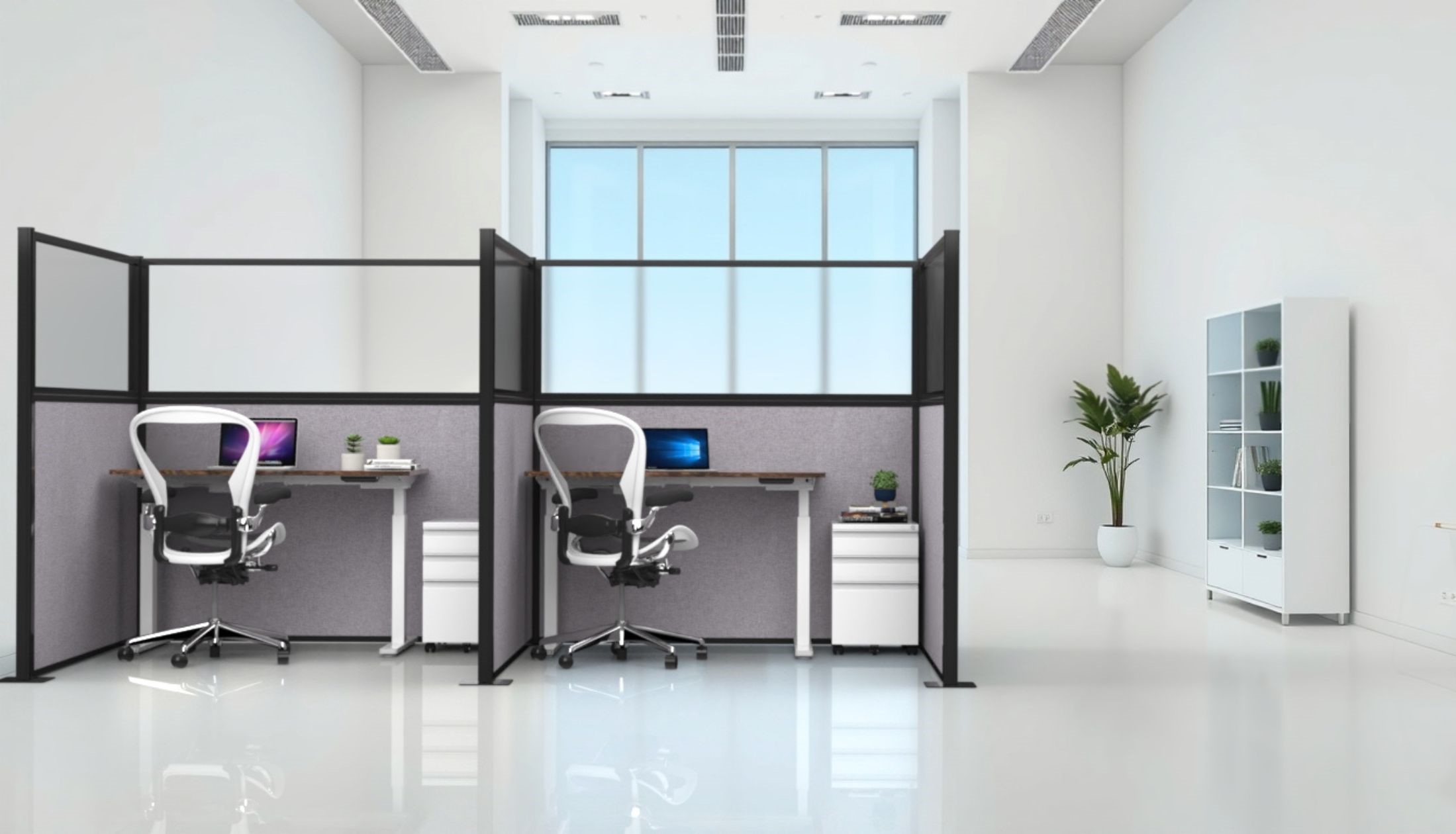
A good desk setup keeps you in a neutral, relaxed pose. You should not reach far. You should not bend to see the screen. You should not rest your wrists on hard edges.
Follow these steps:
- Chair Set height so feet rest flat. Knees and hips near level. Use lumbar support against your lower back.
- Desk Set so elbows rest at 90 to 100 degrees. Keep shoulders down and loose.
- Keyboard Place flat or with slight negative tilt. Keep wrists straight and hands level with elbows.
- Mouse Keep it close and at the same height as the keyboard. Use your whole arm to move it.
- Monitor Place the top of the screen at or just below eye level. Sit an arm’s length away.
- Lighting Avoid glare. Use task lighting. Increase font size to prevent leaning in.
A simple way for how can you protect yourself from ergonomic hazards is to keep your setup within the “reach zone.” Everything you use often should be close.

Manual work: lifting, tools, and layout
Heavy or awkward tasks need strong habits and smart layout. You want the load close, your spine neutral, and your path clear.
Use these rules:
- Plan first Check weight, route, and grip. Ask for help or use gear if needed.
- Power zone Keep loads between mid-thigh and chest. Avoid high lifts or deep bends.
- Neutral spine Bend at hips and knees. Keep the item close to your body.
- Grip and gloves Use full-hand grips. Choose gloves that fit and keep feel.
- Tools Match tool size to the task. Use handles that fit your hand and keep wrists straight.
- Rotate tasks Swap high-strain jobs with light ones. This cuts repeat stress.
From my audits, line height was a common fix. We raised benches by one inch and elbow pain dropped within weeks. That is another proof that how can you protect yourself from ergonomic hazards often starts with small layout tweaks.
Microbreaks, movement, and stretching
Your body loves change. Static postures tire muscles. Short, frequent breaks beat long, rare ones.
Try this routine:
- 20-8-2 Method Every 30 minutes, sit for 20, stand for 8, and move for 2.
- Microbreaks Take 30–60 seconds to roll shoulders, open your chest, and relax your jaw.
- Eye care Use 20-20-20 Look 20 feet away for 20 seconds every 20 minutes.
- Light stretches Wrist flexor and extensor stretches, neck turns, and hamstring rolls. Keep it gentle and pain free.
These simple habits are a strong part of how can you protect yourself from ergonomic hazards at any desk or shop floor.
Devices on the go: laptop, tablet, and phone
Mobile gear is handy but rough on the neck and wrists. Screens sit too low. Keyboards are tight. Thumbs work too hard.
Make it better:
- Laptop Use a stand and external keyboard and mouse. Keep the screen at eye height.
- Tablet Use a stand. Type with a keyboard. Avoid long thumb typing.
- Phone Use voice to text and calls for long notes. Hold the phone at eye level.
With travel work, set time limits on pure laptop use. That is how can you protect yourself from ergonomic hazards when you must stay mobile.
Tools and accessories that help
Good tools lower force and improve posture. Test before you buy. One size does not fit all.
Worth trying:
- Chairs With lumbar support and easy height and armrest adjust.
- Keyboards Split or low-profile to reduce wrist bend.
- Mice Vertical or trackball to ease forearm twist.
- Footrests When feet do not reach the floor.
- Anti-fatigue mats For long standing tasks.
- Lifting aids Carts, dollies, hoists, and slide sheets.
- Gloves With the right size and grip for the job.
In my reviews, a vertical mouse cut forearm pain for a coder within days. A cart replaced long carries for a baker and ended wrist pain.
Training, reporting, and a culture of safety
Knowledge and feedback keep you safe. People do what they know and what leaders model. If you want to know how can you protect yourself from ergonomic hazards as a team, build shared habits.
Make it stick:
- Train new hires on setup and safe moves in week one.
- Refresh skills with short demos and toolbox talks.
- Use checklists for desks, lifts, and tool use.
- Report discomfort early and track fixes.
- Reward changes, not just results.
Studies show that training plus task redesign cuts injury rates more than training alone. Pair both for lasting gains.
Tracking progress and knowing limits
You improve what you measure. Track risk, change, and outcomes. Be honest about limits too.
Use simple metrics:
- Discomfort surveys short, monthly pulse checks.
- Setup scores quick checklists with pass or fix items.
- Workload data overtime, task mix, and break time.
- Outcomes early reports, modified duty days, claims.
Limits to note:
- Not all pain is from work. Seek a medical review for lasting issues.
- Some jobs need tools you do not have yet. Plan upgrades.
- People vary in size and needs. Allow custom fits where you can.
This is a smart path for how can you protect yourself from ergonomic hazards and show results over time.
Frequently Asked Questions of how can you protect yourself from ergonomic hazards
What is the fastest way to improve my desk ergonomics?
Raise your screen so the top is at eye level and relax your shoulders. Then set chair height so your feet are flat and elbows are near 90 degrees.
How often should I take breaks from typing?
Take a 30–60 second microbreak every 20–30 minutes. Shake your hands, roll your shoulders, and look far away.
Do standing desks prevent back pain?
They can help when used with movement and good posture. Alternate sitting and standing and keep the screen and keyboard at proper heights.
Which is better, a vertical mouse or trackball?
It depends on your task and comfort. Try both and choose the one that keeps your wrist straight and reduces finger strain.
How heavy is too heavy to lift alone?
If you need to brace or hold your breath, it is too heavy. Use help, break the load, or use a cart or hoist.
Are wrist rests good or bad?
Use them to rest palms between bursts, not while typing. Keep wrists straight and float your hands over the keys.
What should I do if I already have pain?
Report it early and adjust your setup and tasks. Seek medical advice if pain lasts more than a few days or gets worse.
Conclusion
Ergonomic safety is a daily practice, not a one-time fix. Start with posture and setup, add movement, and use the right tools. Track small wins and keep learning. Your body will thank you with more energy and less pain.
Choose one change today. Raise your screen, set a timer to move, or try a new mouse. Share this guide, subscribe for more tips, or leave a comment with your setup challenge.


