

Sit tall, keep hips back, feet flat, screen at eye level, move often.
You want real, simple steps on how to improve office sitting posture, and you want them to work in the real world. I’ve helped many desk workers set up comfortable workstations and beat nagging pain. This guide breaks down how to improve office sitting posture with clear steps, small daily habits, and smart tools. Stick with me, and you’ll build a posture routine that fits your day and lasts.
Why posture matters at the office
Good posture is not about being stiff. It is about stacking your body so your muscles share the load. When you sit well, you breathe better, think clearer, and feel less tired. That is why learning how to improve office sitting posture pays off fast.
Research shows slouching raises pressure on the lower back and neck. Long static sitting also slows blood flow and can strain your wrists and shoulders. The fix is a neutral position and small moves all day.
Think of posture as a moving target. You set a good base, then you change shape often. This mix helps you prevent pain, stay sharp, and protect your joints. It is the core of how to improve office sitting posture.
The neutral sitting posture made simple
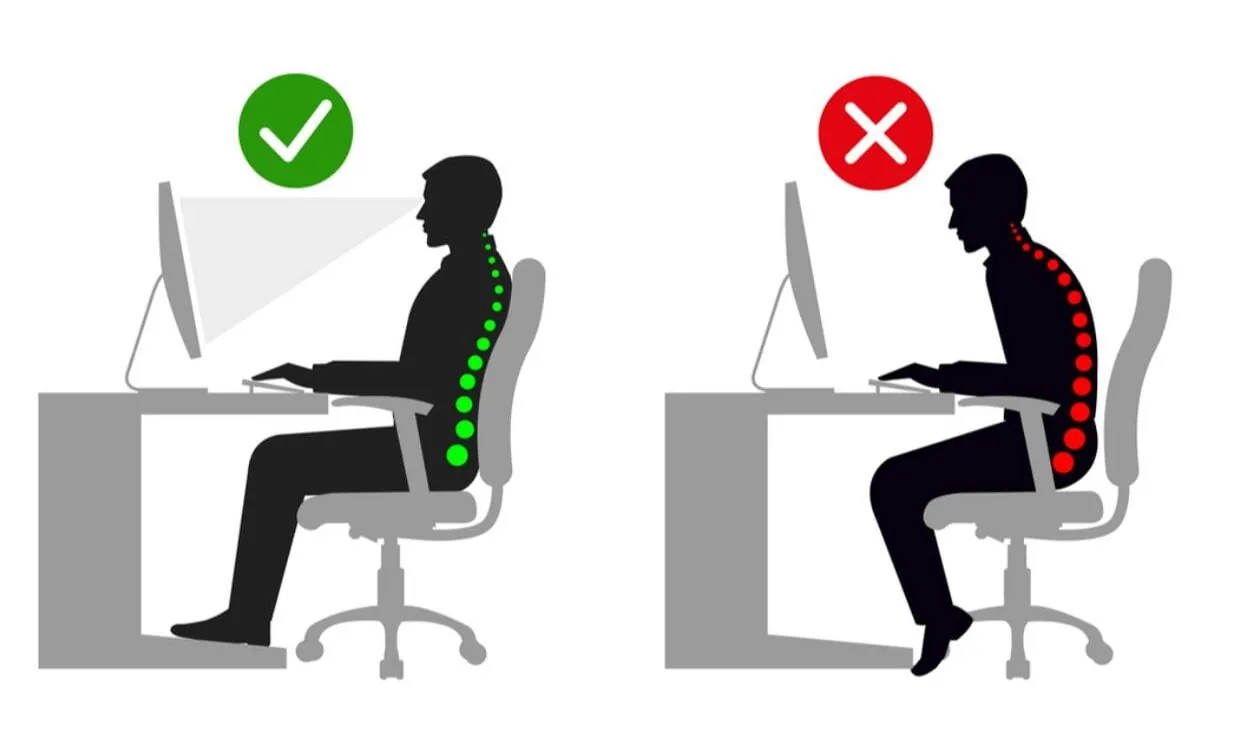
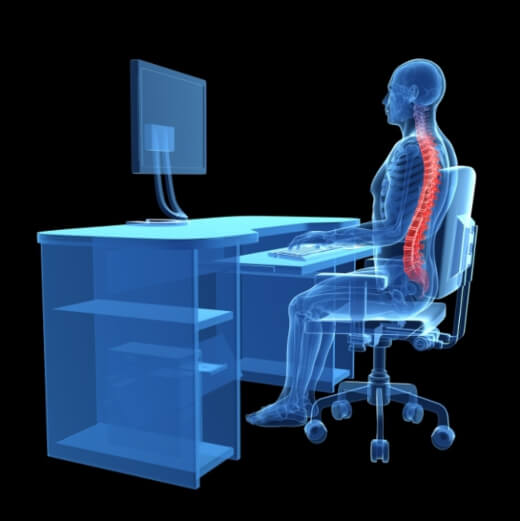
Neutral posture means your joints line up and your muscles can relax. It lets your spine keep its gentle curves. It also keeps your neck and shoulders calm.
Use this quick checklist:
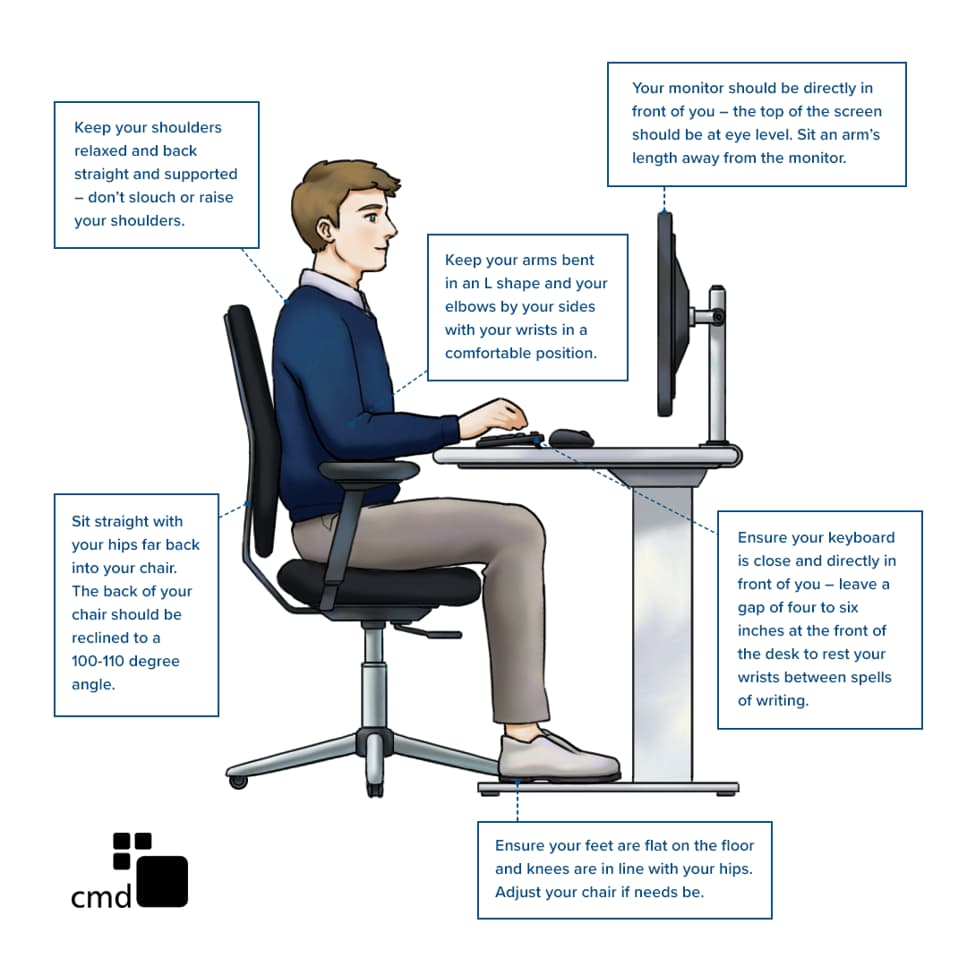
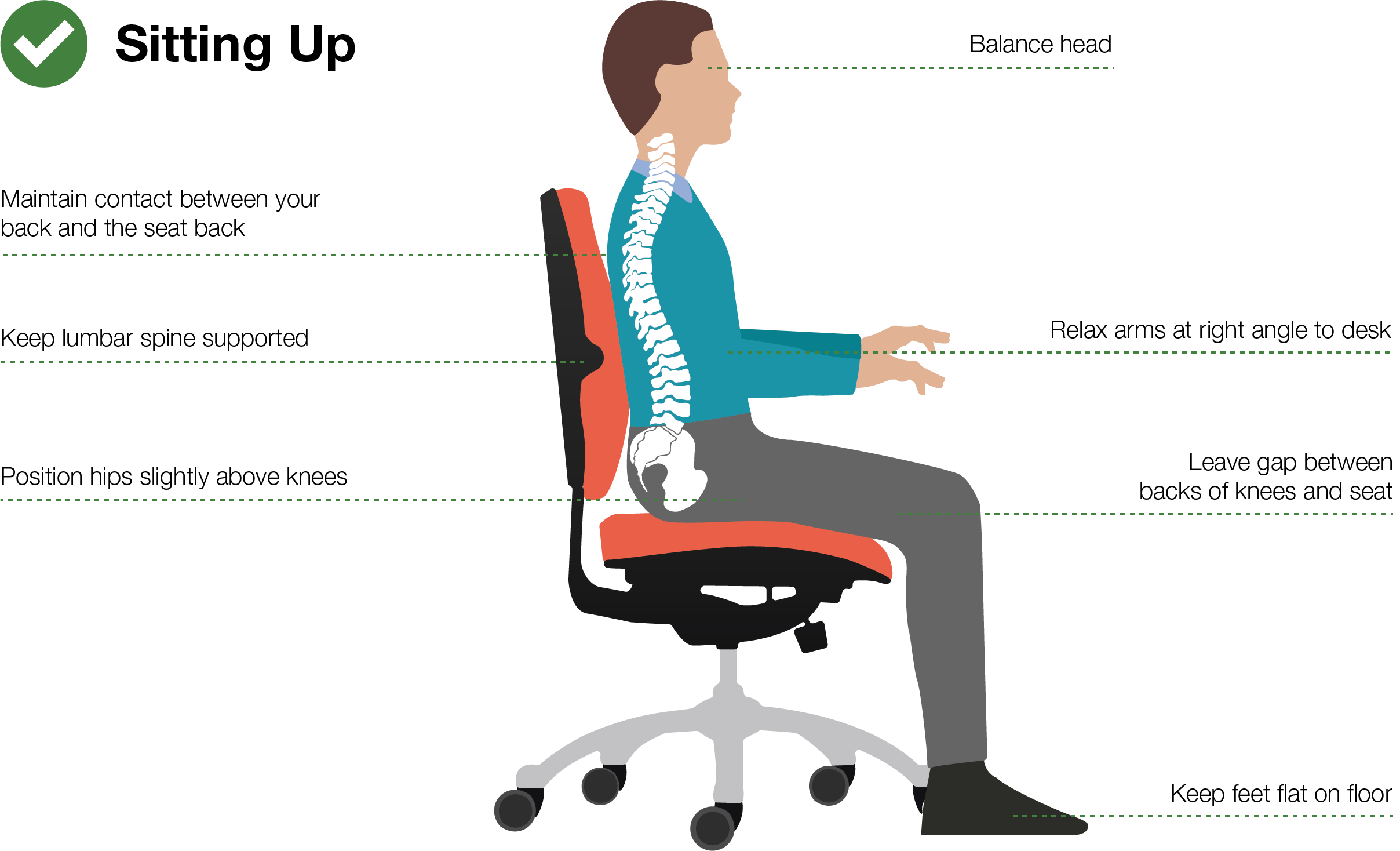
- Head: Ears over shoulders. Chin level. Eyes on the top third of the screen.
- Shoulders: Down and back, not pinned. Elbows at 90–110 degrees, close to your sides.
- Spine: Tall through your chest. Small low back curve. Ribs stacked over pelvis.
- Hips and knees: Hips level with or a bit above knees. Sit back so your pelvis is supported.
- Feet and wrists: Feet flat. Wrists straight, not bent up or down.
My simple cue from years of desk work: grow tall, soften shoulders, breathe wide. You will feel space in the neck and ribs. This is the base for how to improve office sitting posture.
Step-by-step workstation setup in five minutes
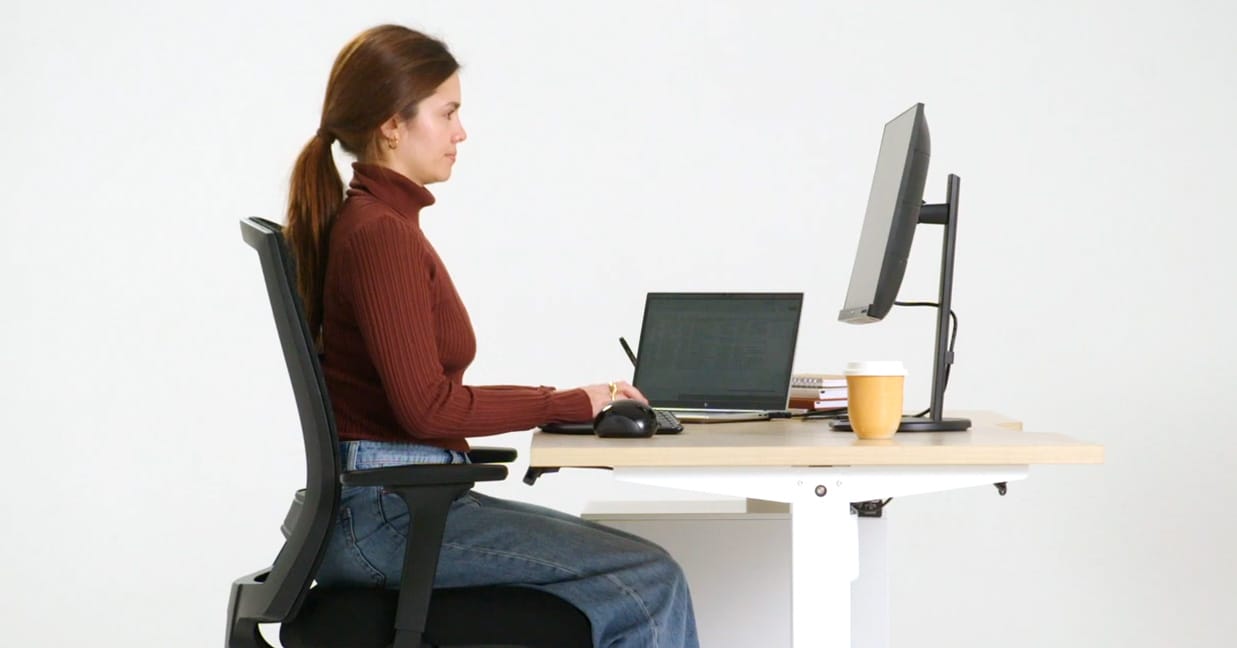
A smart setup makes good posture easy. You should not fight your chair or desk all day. Follow these steps for how to improve office sitting posture without guesswork.
- Chair
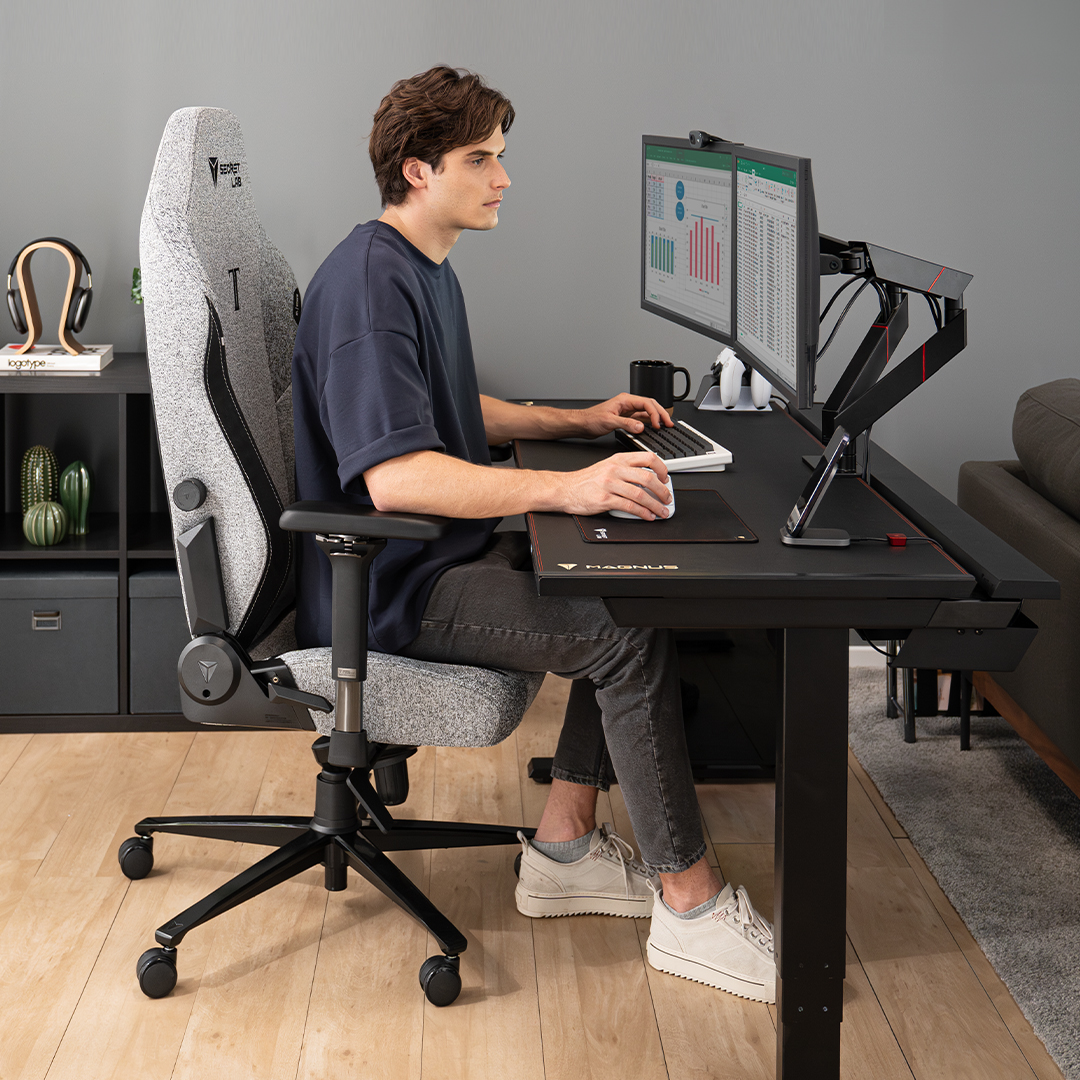
- Raise the seat so hips are level with or higher than knees.
- Slide your hips back to touch the backrest.
- Adjust lumbar support to sit in the small of your back.
- If feet do not reach the floor, use a footrest.
- Armrests
- Set them low and close so shoulders stay relaxed.
- Elbows bend near 90–110 degrees, wrists straight.
- Desk and keyboard
- Desk height should match your elbow height when you sit tall.
- Keep the keyboard flat and close. The mouse should live next to it.
- Monitor
- Place it arm’s length away.
- Set the top of the screen at or just below eye level.
- Center it with your body. For two screens, center the main one.
- Laptop users
- Use a stand to raise the screen.
- Add an external keyboard and mouse. It is a must for how to improve office sitting posture with a laptop.
- Documents and phone
- Use a document holder next to the screen.
- Use a headset for calls to avoid neck tilt.
Small changes stack up. When I raised my screen by three inches, my neck pain dropped in two days. That is the power of a clean setup for how to improve office sitting posture.

Daily habits that fix posture more than any chair
Even the best chair fails if you sit still all day. Movement is the secret. Here is how to improve office sitting posture with simple habits.
- Use the 20-8-2 rhythm: Sit for 20 minutes, stand for 8, move for 2.
- Take microbreaks each hour. Walk to refill water. Do 10 shoulder rolls.
- Try the 20-20-20 eye break: Every 20 minutes, look 20 feet away for 20 seconds.
- Breathe low and wide. Slow exhales help relax tight neck and jaw.
- Change your sitting shape often. Cross and uncross ankles. Scoot forward and back.
Tie breaks to triggers. Send a print job, then stand. Finish a call, then stretch. These tiny moves fuel how to improve office sitting posture across the day.
Easy desk exercises that balance your body
You do not need a gym to reset your posture. Two minutes, a few times a day, works. These drills are safe for most people.
- Chin nods: Slight nod down, grow tall, relax. Ten slow reps.
- Shoulder blade slides: Glide shoulders down and back. Hold three seconds. Ten reps.
- Thoracic extension: Sit tall and lean your mid back over the chair top. Breathe in. Five reps.
- Pec doorway stretch: Forearm on the frame, step through. Hold 30 seconds each side.
- Hip flexor stretch: Half-kneel beside your chair. Tuck pelvis, lean forward. 30 seconds each side.
- Hamstring stretch: Heel on floor, knee soft, hinge at hips. 20–30 seconds each side.
- Wrist cars: Slow circles both ways. Ten each side.
These moves undo the “text neck” and chair slump. They help your joints share load so you can hold neutral with less effort. That is how to improve office sitting posture without strain.
Ergonomic tools that help (and when they do not)
Tools can guide your body, but they are not magic. Use them to support good habits.
- Lumbar pillow: Fills the low back curve. Great if your chair lacks support.
- Footrest: Helps shorter users keep hips back and feet flat.
- Split keyboard: Keeps wrists straight and shoulders open.
- Vertical or trackball mouse: Can ease forearm and wrist strain.
- Sit-stand desk: Best when you switch often. Try 30–60 minute cycles.
Limits exist. A new chair will not fix pain if you never move. Track comfort over one to two weeks as you change one item at a time. This careful approach is key in how to improve office sitting posture with gear.
Common mistakes and quick fixes
Most posture fails are small and easy to fix. Spot yours and make a fast change.
- Perching on the chair edge
Fix: Slide hips back and use the backrest for support. - Crossing one leg for hours
Fix: Keep feet flat or switch sides often. - Monitor too high or low
Fix: Aim the top of the screen at eye level. - Keyboard too far away
Fix: Bring it close so elbows stay by your sides. - Armrests too high
Fix: Lower them so shoulders do not shrug.
I once set a client’s armrests one inch lower. Her neck pain eased in a week. Small levers, big wins. That is the vibe of how to improve office sitting posture.

Track progress and build lasting habits
What gets measured gets better. Make posture a small project, not a guess.
- Take two photos at your desk: side and front. Repeat in two weeks.
- Log symptoms with a simple 0–10 scale at lunch and day’s end.
- Use calendar nudges for breaks and stretches.
- Stack habits. After coffee, do 10 blade slides. After lunch, take a five-minute walk.
- Seek help if pain is sharp, spreads into a limb, or wakes you at night.
If a change helps, keep it. If not, roll it back. This test-and-tweak path is how to improve office sitting posture with confidence and care.

Frequently Asked Questions of how to improve office sitting posture
How long does it take to see results?
Many people feel relief in a few days after setup tweaks. Larger changes in strength and endurance take two to four weeks.
Should I sit at 90 degrees?
Use 90–110 degrees at elbows and knees as a guide, not a rule. A slight open angle at the hips often feels better.
Is a standing desk better than sitting?
It is not better by itself. The win comes from switching often and moving more.
What is the best chair for posture?
The best chair lets you adjust height, depth, backrest, and armrests. Comfort, not price, predicts success.
Can I fix posture if I use a laptop?
Yes, but raise the screen and add a keyboard and mouse. This one change makes laptop work far safer for your neck and back.
How to improve office sitting posture if I already have back pain?
Start with gentle positions and microbreaks. Add a lumbar pillow and see a clinician if pain is sharp or does not ease.
Do posture braces work?
They can cue you for short periods. Do not rely on them all day; build strength and habits instead.
Conclusion
You now have a clear, simple plan to sit well, move more, and feel better at work. Set your chair, raise your screen, keep your elbows close, and take small breaks. Layer in two-minute drills and smart tools, and you will lock in steady gains.
Start today. Pick one tip, make the change, and check how you feel by Friday. If this helped, share it with a teammate, subscribe for more guides, or leave a comment with your wins and questions.


