
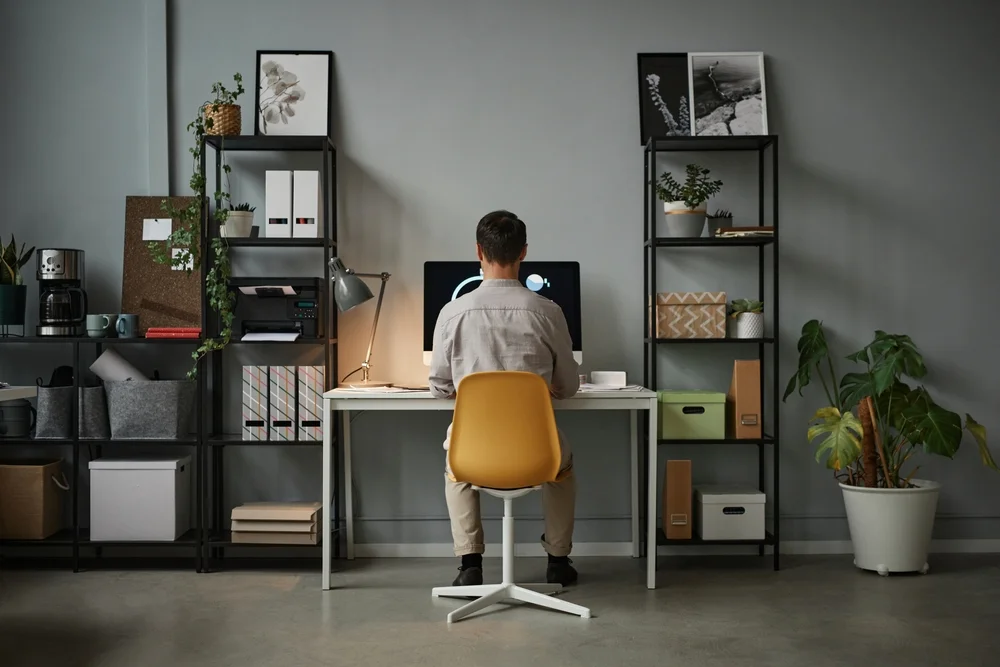
Ergonomically optimum body posture is a neutral, balanced alignment of your head, shoulders, spine, hips, knees, and feet that minimizes strain and supports natural movement. It places joints in mid-range positions, spreads loads evenly, keeps muscles relaxed yet ready, and aligns tools with your body. The result: less pain, better breathing, and steadier energy.
We sit, stand, and move for hours every day. Small posture slips add up, like tiny leaks in a tire. Over time, they drain focus, comfort, and mood. Good posture is not stiff or military. It is easy and light. It lets you breathe deep, think clearly, and work longer with less effort. This simple guide shows how to find the correct body posture you can keep, anywhere.

What Does Ergonomically Optimum Body Posture Mean?
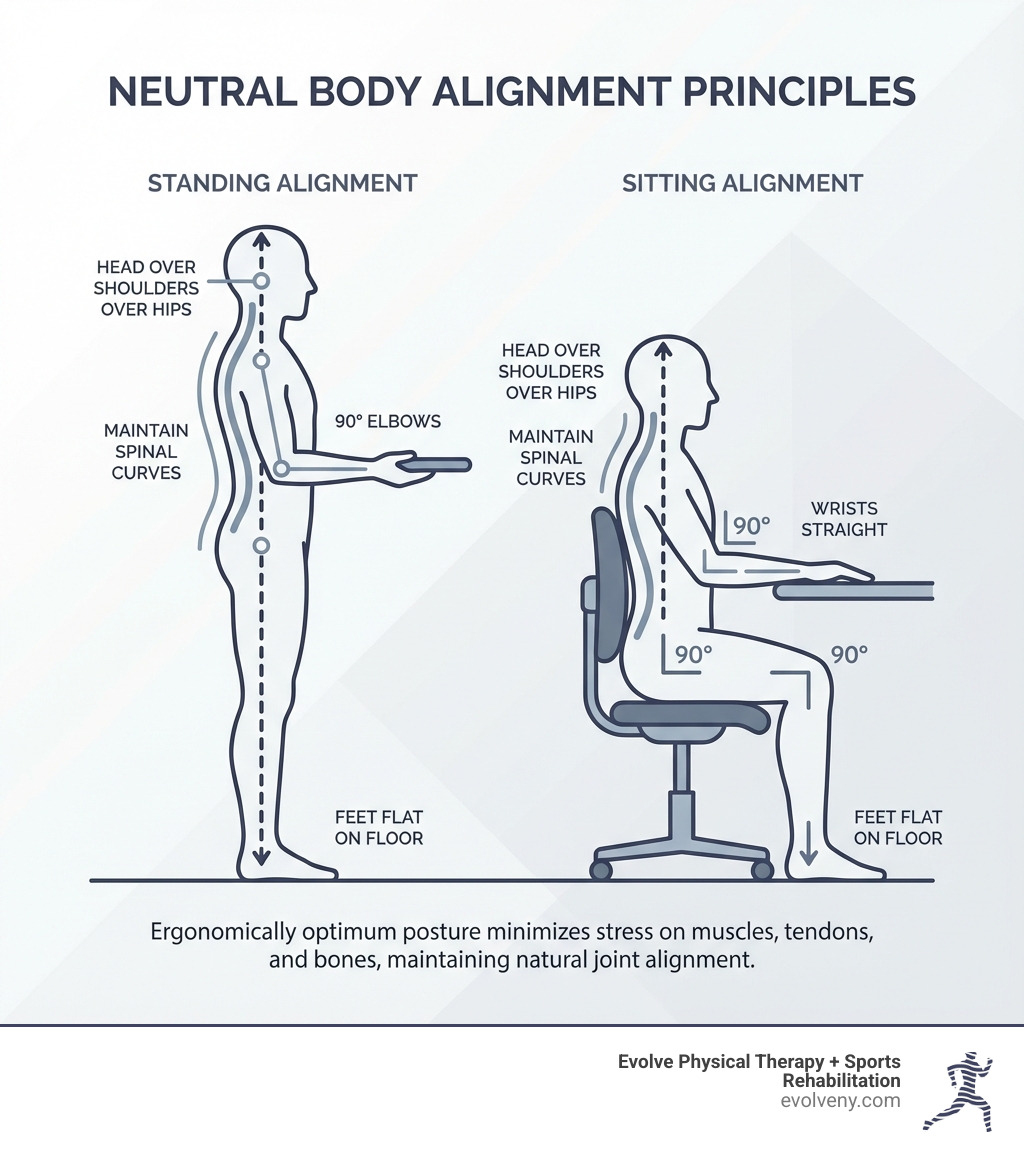
In simple terms, it means your body lines up in a way that feels natural and strong, with no single joint or muscle doing more than its fair share. Your ears stack over your shoulders. Your shoulders rest over your hips. Your hips sit over your knees and feet. This neutral “stack” keeps pressure even and movement smooth. It is the ideal posture for body alignment because it supports blood flow, joint health, and calm breathing. It is also flexible. You can keep it while you sit, stand, or move.
Key Elements of Optimal Body Posture
Great posture is a full-body habit. Think of your body like a tower of blocks. When the blocks stack well, the tower is stable with very little effort. The same goes for you. Here are the key pieces to watch.
Head Position
Keep your head level with your chin slightly tucked, like a string lifts the crown of your head. Your ears should line up over your shoulders. This reduces stress on your neck and lets your eyes scan straight ahead without strain.
Shoulders
Let your shoulders relax down and slightly back. Avoid rounding forward. Picture sliding your shoulder blades into your back pockets. This opens your chest and helps your neck and upper back share the load.

Spine Alignment
Aim for a gentle S-curve, not a stiff stick or a deep sway. Your lower back has a small inward curve, your mid-back a mild outward curve, and your neck curves inward. Support this shape rather than forcing it.
Hips
Keep your pelvis neutral. Avoid tilting it far forward or back. When sitting, your hips should be slightly higher than your knees. When standing, your weight should rest over the middle of your feet, not your toes.

Knees
Keep a soft bend, not locked. In sitting, your knees bend about 90–100 degrees with even support under your thighs. In standing, a slight unlock saves your joints and keeps blood moving.
Feet
Feet point forward or slightly out. When standing, spread weight across the tripod of each foot: heel, base of big toe, base of little toe. When sitting, keep both feet flat for a stable base.
Ideal Sitting Posture (Step-by-Step)
Sitting well is about support and small adjustments. You want a tall, relaxed spine with easy breath and steady vision. Your tools should meet your body, not the other way around. Follow these steps to set up optimal body posture ergonomics at your desk.
- Set seat height so feet rest flat on the floor. If needed, use a footrest.
- Hips slightly above knees. This tilts the pelvis to support your lower back’s natural curve.
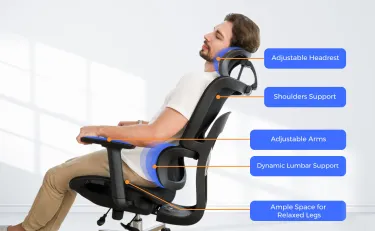
- Sit back and use backrest support. Add a small lumbar pillow if needed.
- Keep a one- to two-finger gap between seat edge and the back of your knees.
- Place screen at eye level. Top of the screen at or just below eye height. Keep it about an arm’s length away.
- Bring the keyboard close. Keep forearms level, elbows near your sides, and wrists straight.
- Place the mouse next to the keyboard at the same height. Move from your shoulder, not just the wrist.
- Relax shoulders down. Keep your head tall, chin lightly tucked.
- Keep items you use often within easy reach to avoid twisting or hunching.
- Take micro-breaks every 25–30 minutes. Stand, roll shoulders, and reset your stack.
Ideal Standing Posture (Step-by-Step)
Standing tall should feel light, not rigid. Think of length, not tension. Your body stacks, your breath flows, and your weight spreads through your feet. Use this quick alignment any time you stand at a desk, in a line, or while you cook.
- Place feet hip-width apart, pointing forward or slightly out.
- Distribute weight evenly: heel, base of big toe, base of little toe.
- Soften your knees. Avoid locking them.
- Stack hips over ankles. Gently tuck or untuck the pelvis until your low back feels neutral.
- Lift tall through the crown of your head. Keep a slight chin tuck.
- Let shoulders fall back and down. Imagine wide collarbones.
- Keep arms relaxed by your sides or at a desk with elbows near your body.
- If at a standing desk, set the surface at elbow height. Keep the screen at eye level.
- Shift weight and move often. Try a footrest to alternate feet every few minutes.
- Take breathing breaks. Slow nasal breaths help reset tension.
Common Posture Mistakes to Avoid
A few small slips can push your body off balance. Spot these and you will prevent most aches. Keep the fixes simple. Reset often.
- Forward head and chin poke while reading or typing
- Rounded shoulders from tight chest and weak upper back
- Slumped lower back from a seat that is too low or too deep
- Locked knees when standing still for long periods
- Twisting to reach tools, screens, or a mouse that sits too far away
Benefits of Maintaining Proper Posture
Correct body posture pays you back all day. It can boost your comfort, mood, and output. It can also reduce health risks from long sitting or standing. Better posture is like a quiet coach that helps you work smarter, not harder.
- Less neck, back, and shoulder pain
- Fewer headaches and eye strain
- Easier, deeper breathing and better voice projection
- Better focus and energy due to improved blood flow
- Lower stress on joints, tendons, and discs
- More stamina for work, school, and play
- A confident look that changes how you feel and how others respond
Simple Posture Checklist
Use this quick check once an hour. It takes 20 seconds and can save you hours of discomfort later. Set a reminder on your phone or computer. Reset, breathe, and move.
- Head: Is my chin gently tucked and my gaze level?
- Shoulders: Are they down and back, not hunched?
- Spine: Do I feel tall with a gentle S-curve?
- Hips: Are they neutral, not tilted?
- Knees: Are they soft, not locked?
- Feet: Are they flat and grounded, weight spread evenly?
- Screen: Is it at eye level and arm’s length?
- Keyboard and mouse: Close, with elbows by my sides?
- Break: Have I stood, stretched, or walked in the last 30 minutes?
Helpful Images to Add
Images make posture simple to see and copy. Add these to your post or training slides. They help people spot errors fast and remember the right setup.
- Posture alignment diagram: A side view showing ear-shoulder-hip-knee-ankle alignment.
- Sitting vs standing posture: Two panels with neutral stacks for each setup.
- Correct vs incorrect posture: Before-and-after images that highlight head, shoulder, and spine changes.
FAQs
Q1: What is the ergonomically optimum body posture while using a laptop?
A: Raise the screen to eye level with a stand, use an external keyboard and mouse, sit with hips slightly above knees, feet flat, and elbows by your sides. Keep the screen an arm’s length away and take micro-breaks every 25–30 minutes.
Q2: How long does it take to fix my posture?
A: You can feel relief in days with small changes and breaks. Habit changes often take 4–6 weeks. Use reminders, do light strength work for your back and core, and adjust your setup to match your body.
Q3: Can standing desks replace sitting?
A: Not by themselves. The best plan is to switch often. Sit some, stand some, and walk when you can. Aim for variety. The goal is steady, neutral alignment and regular movement, not one fixed pose.
Conclusion
Ideal posture for body alignment is a living, flexible habit, not a frozen pose. Stack your head, shoulders, hips, knees, and feet. Set tools to fit your body. Move often. With small, steady steps, you can reduce pain, breathe better, and get more done. Your body will thank you today and tomorrow.


