
Center inner bezels at your nose, tilt 10–15° inward, set eye-height midlines for zero neck twist.
You want a setup that feels weightless on your neck and natural for your eyes. This guide shows how to arrange dual vertical monitors for zero neck twist with clear steps, real measurements, and pro tips from years of hands-on desk setups. If you care about long sessions of reading, coding, writing, or trading, you will learn how to arrange dual vertical monitors for zero neck twist and keep your body happy while you work.
What “zero neck twist” really means
If you want to know how to arrange dual vertical monitors for zero neck twist, start by defining zero twist. It means your head stays facing forward, with your nose pointed between the inner bezels. Your neck does not rotate left or right during normal work. Your gaze shifts with your eyes, not your neck.
Think of your body as a tripod. Hips stay square, shoulders stay even, and your head sits over your spine. Both monitors should pull your vision inward, not tug your neck sideways. Neutral posture cuts strain and keeps your focus strong across long hours.
A few ergonomic anchors help:
- Primary gaze should land slightly below eye level, not above it.
- Inner bezels should line up with your nose line so your head can stay centered.
- Keep both panels the same distance from your eyes to prevent depth hopping.
Source: ktcplay.com
The golden alignment recipe
Here is how to arrange dual vertical monitors for zero neck twist in clear steps. I use this same flow when I set up workstations for writers, engineers, and editors. It is simple, repeatable, and quick.
- Center your chair and keyboard on the desk so the G and H keys align with your nose line.
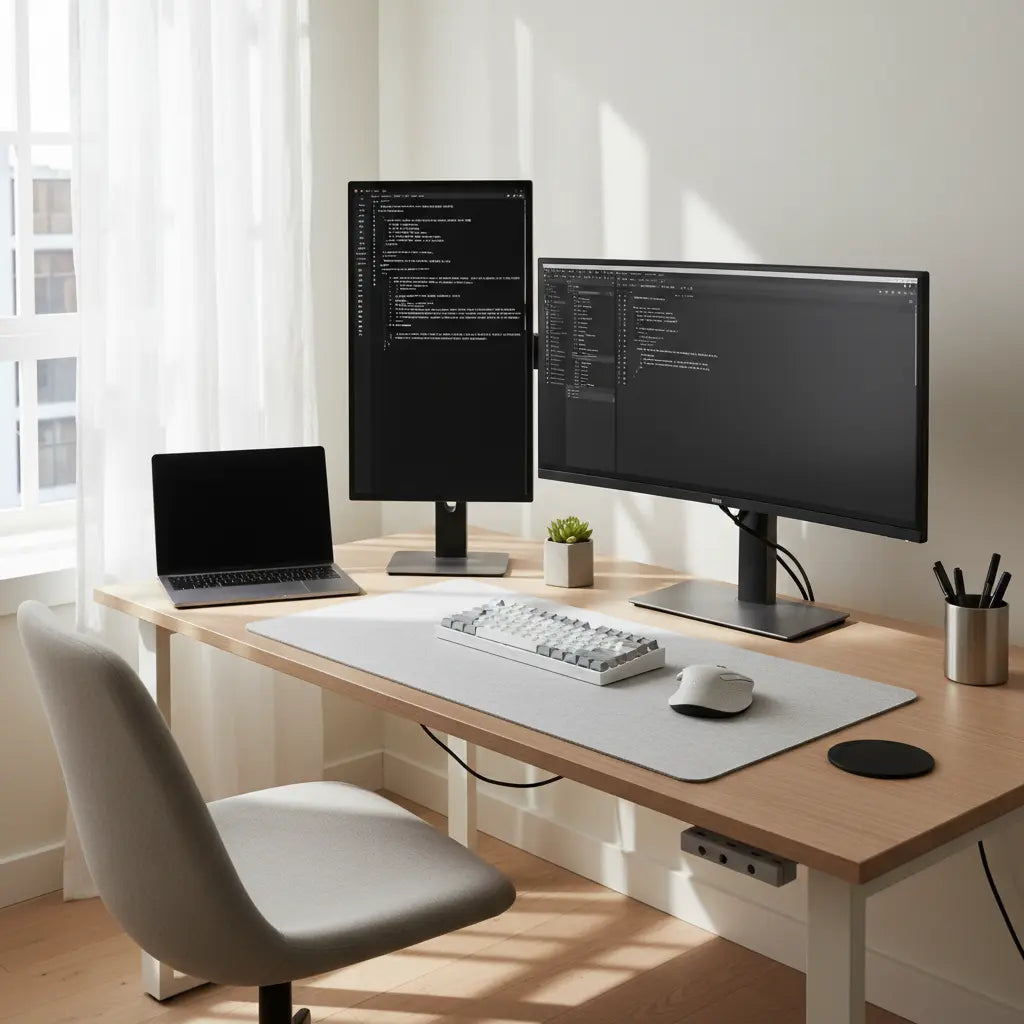
- Mount both monitors on arms. Rotate to portrait. Slide them so the inner bezels meet at your nose line.
- Set height so the upper third of each screen is at or just below eye level. This avoids chin lift.
- Set distance to 20–28 inches from your eyes. Aim for about an arm’s length.
- Toe-in both monitors 10–15 degrees toward you. This reduces side gaze.
- Add a slight backward tilt of 0–5 degrees to fight glare and keep top text easy to read.
- Match brightness and color temperature on both panels.
- Place your main window content near the inner edges to keep your eyes close to center.
- Test by reading for two minutes on each screen. If your head turns, adjust toe-in or height.
- Lock the arms, tidy cables, and mark desk positions with small tape tabs for easy resets.

Source: ktcplay.com
Gear checklist and setup tools
When planning how to arrange dual vertical monitors for zero neck twist, gear choices matter. Good arms, stable stands, and the right panel size make alignment easy. You do not need fancy gear, but solid basics help a lot.
Must-haves:
- VESA monitor arms with independent height and depth adjustments
- Panels between 24 and 27 inches for balanced width and height in portrait
- Matte or low-glare coatings to protect your eyes
- A sturdy desk that does not shake when you type
- A chair with seat height and arm support that lets your shoulders relax
Nice-to-haves:
- Gas-spring arms for easy micro-moves
- A phone level app to set tilt and angle
- Blue light control and a 6500K lamp behind the screens for soft bias light
- An external webcam centered at the nose line to keep your gaze natural on calls
Source: ktcplay.com
Fine-tuning angles, distance, and height
To refine how to arrange dual vertical monitors for zero neck twist, tune these angles and distances. Small moves make big gains. Use quick tests to dial it in.
Targets to hit:
- Distance: 20–28 inches from your eyes. Keep both panels the same distance.
- Inward angle: 10–15 degrees toe-in per side. Start at 12 degrees and adjust by feel.
- Height: Top third of the panel at or just below eye height. If you wear progressive lenses, go a bit lower.
- Tilt: 0–5 degrees backward tilt to reduce glare from overhead lights.
Easy tests:
- Nose test: Close your eyes, relax, open them. Your gaze should land near the inner bezels. If not, slide the arms in or out.
- Line test: Hold a string with a small clip at your nose line. The clip should drop between inner bezels.
- Blink test: If your eyes dry fast, lower brightness and reduce top-of-screen elevation by a half inch.
Source: bestier.net
Software layout and workflow that reduce twist
Software also shapes how to arrange dual vertical monitors for zero neck twist. Place your heaviest task by the center so your eyes stay close to neutral. Then arrange support tools around that anchor.
Try these patterns:
- Writing or coding: Editor on the inner half of the left panel. Docs or logs on the inner half of the right panel.
- Research: Paper or PDF on the inner left. Notes on the inner right. Keep big figures near the inner edges.
- Trading or dashboards: Active chart near center. Watchlists and orders inward on the other panel.
- Communication: Calls and chat in the top inner zones so your eyes do not drift outward.
Personal tip: I use vertical monitors for long code and docs. I pin my main editor on the inner left and live docs on the inner right. My head stays still. My eyes sweep a small arc. Focus feels easy hour after hour.
Source: ktcplay.com
Common mistakes and quick fixes
These errors often derail how to arrange dual vertical monitors for zero neck twist. The fixes are fast and make a big difference.
- Monitors too high: You feel neck tension or look up to read headers. Lower each panel by 0.5–1 inch.
- Flat alignment: Panels are not toed-in. Add 10–15 degrees inward to shrink side gaze.
- Uneven distances: One screen sits farther back. Match depth to prevent focus jumps.
- Brightness mismatch: One panel glows more. Match luminance to reduce eye strain.
- Inner bezels not centered: Your nose points at one panel. Slide both arms until the inner seam hits your midline.

Source: bestier.net
Health micro-habits that lock in comfort
Healthy habits sustain how to arrange dual vertical monitors for zero neck twist. Your setup does half the job. Your routine does the rest.
Try this rhythm:
- Use the 20-20-20 rule every 20 minutes. Look 20 feet away for 20 seconds.
- Do a shoulder roll and chin tuck once an hour.
- Stand or shift your seat height every 60–90 minutes.
- Blink on purpose during deep work. Dry eyes push your head forward.
- Use warm light at night and cooler light in the day to sync your alertness.
Source: ktcplay.com
Frequently Asked Questions of how to arrange dual vertical monitors for zero neck twist
Should both vertical monitors be the same size?
Yes, same size and resolution keep text scale even. This reduces eye strain and limits the urge to twist your neck.
How far should my eyes be from vertical monitors?
Aim for 20–28 inches, about arm’s length. Keep both screens at the same distance for stable focus.
Do I need special arms for portrait mode?
Use VESA arms that support rotation with solid tension. Gas-spring arms make tiny angle changes fast and precise.
What is the best height for vertical monitors?
Set the upper third of each screen at or just below eye level. If you wear progressive lenses, lower them a bit more.
How can I tell if my neck is twisting?
Record a 30-second clip from the side while you work. If your nose points off-center for most of the time, adjust toe-in and center the inner bezels.
Can I use this setup with a laptop?
Yes. Dock the laptop closed or set it on a riser as a third screen centered below. Keep its top edge below the main screens to avoid chin lift.
Does anti-glare film help?
Often yes, especially under overhead lights. It softens reflections so you keep your gaze steady and low.
How do I keep text readable on tall windows?
Increase line height and use 100–110% zoom. Shorter line lengths cut eye travel and help you stay centered.
What if I share the desk with someone taller or shorter?
Mark ideal arm positions with small tape tabs. Adjust to each user’s eye height in seconds.
Where should the webcam go in a vertical setup?
Place it at your nose line between the inner bezels. This keeps your gaze natural on calls.
Conclusion
You now know how to arrange dual vertical monitors for zero neck twist with simple steps, solid angles, and smart habits. Center the inner bezels, toe-in 10–15 degrees, match height to eye level, and keep your main work near the middle.
Set it up once, then fine-tune in minutes. Your neck will feel lighter, your eyes will stay fresh, and your focus will last. Try the recipe today, share your results, and subscribe for more ergonomic workflows and gear tips.


