
Start with clear zones, neutral colors, hidden cables, warm light, and simple rules.
If you want to know how to design a distraction free workspace layout, you are in the right place. I have set up dozens of spaces for makers, managers, and teams. This guide blends research with hard-won lessons. You will learn how to design a distraction free workspace layout that fits your brain, your tasks, and your room. Read on, try one step at a time, and watch your focus grow.

What “distraction-free” really means
A distraction-free workspace is not empty. It is quiet to your eyes and mind. Every item has a job. Every zone has a clear use. You can sit, start, and stay on task with less effort.
This layout cuts visual noise, sound spikes, glare, and messy cables. It also makes your tools close, but not in your way. When you know how to design a distraction free workspace layout, you work faster and feel calm.
Benefits you can expect:
- Fewer context switches and less mental drag
- More deep work time and better output quality
- Less neck, back, and eye strain
- Easier cleanup and faster starts each day
Limits to note:
- It will not fix a bad work plan or unclear goals
- It may need some spend on light or gear
- It takes a few days to feel the full effect
Core principles that protect your focus
Great layouts start with how the brain works. We lose focus when the room asks for attention. Light, color, sound, and clutter all make small asks. They add up.
Core ideas to guide you:
- Reduce visual load. Keep the desk top clear. Use closed bins. Hide cables.
- Control light. Aim for even, warm light in the late day. Avoid glare on screens.
- Shape sound. Keep a steady noise floor. Use soft items and a rug to cut echo.
- Set simple rules. One task on the desk. One tool per zone. One minute to reset.
Tip from my own office: I swapped a bright poster for a plain wall. My writing blocks got shorter and smoother within a week.
Step-by-step: how to design a distraction free workspace layout
Use these steps to design, try, and tune. You can do this in a day.
- Define your main task
- Name the one task that pays the rent. Write, code, draw, sell, or teach.
- Design your layout for that task first. Other tasks get a side zone.
- Measure your space
- Measure desk width, depth, and height.
- Note outlets, window light, and door paths.
- Pick your zones
- Focus zone: chair, desk, screen, keyboard, mouse, notebook.
- Tool zone: drawers or a pegboard for gear you use each day.
- Storage zone: closed bins for rare items and cables.
- Reset zone: a small tray for daily cleanup items.
- Set limits
- Choose a hard cap: five items on the desk top. This rule saves you most days.
- One decor item is fine. Keep the palette calm.
- Plan the light
- Mix one overhead light with one desk lamp.
- Keep light sources out of your direct view. No glare on the screen.
- Draw your cable path
- Run all lines to a back rail or under-desk tray.
- Use a single power strip you can switch off.
- Tame sound
- Add a rug or curtains if the room is hard.
- If noise leaks in, use a white noise app at low volume.
- Do a 15-minute build
- Place only Focus zone items first. Sit and work for 20 minutes.
- Add Tool zone items next. Work again. Stop when it feels easy to start.
- Write your reset script
- End of day: clear desk, park apps, plug in, wipe down. Two minutes max.
When you frame how to design a distraction free workspace layout as a short loop, you can build, test, and tune fast. Repeat the loop each week to lock in gains.
Layout blueprints you can copy
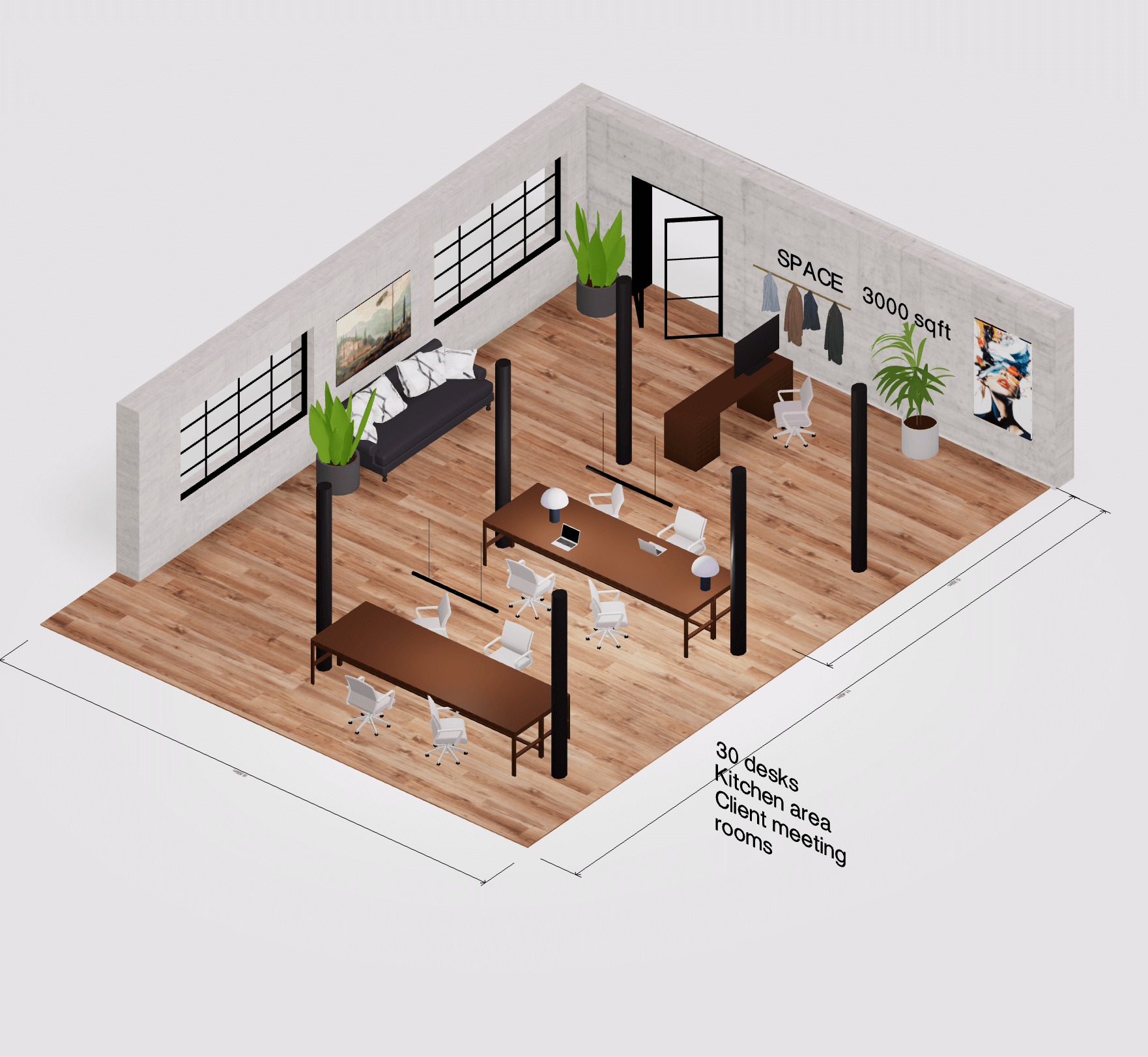
Use these starter maps. Adjust to your task and room.
Home office, small desk
- 24–27 inch screen on a slim arm
- Low-profile keyboard and mouse on a thin mat
- Clamp-on lamp with warm bulb on the far side of the mouse
- Drawer unit to the non-dominant side
- Cable tray and a footrest
- Privacy screen on the sides of the desk
- Noise-damp pad under keyboard
- Dock and power brick stuck under the desk
- One plant to soften view, not to crowd space
Dual-monitor creative setup
- Two 24–27 inch screens in a shallow V
- Pen tablet centered, keyboard on a tray
- LED light bar on top of the main screen
- Rolling cart for cameras or mics to keep desk clear
Standing desk flow
- Mat for feet and a foot rocker
- Clamp hooks for headphones and bag
- Coiled cables with enough slack for height changes
Shared table rule set
- Each person gets a slim caddy
- Clear desk top at end of day by a set time
- One power strip per side with labels
If you are still asking how to design a distraction free workspace layout for your niche, start with the closest map above. Run the loop and tune.

Ergonomics and gear that cut micro-distractions
Small pains break focus. Good fit stops that. Follow basic ergonomics from OSHA and NIOSH style guides.
Key checks:
- Chair: hips and knees near 90 degrees, feet flat or on a rest
- Screen: top at or slightly below eye level, about an arm’s length away
- Keyboard: wrists straight, elbows near 90 degrees
- Mouse: close to the keyboard, both on the same level
- Light: 300–500 lux on the desk for most tasks, a bit more for fine work
Helpful gear:
- Monitor arm for exact height and less neck strain
- Desk lamp with a warm 3000–4000K bulb to match late day work
- Cable tray, clips, and Velcro ties to hide lines
- A simple paper inbox to stop piles from creeping in
I once chased a “better mouse” for weeks. The fix was simple. I moved the keyboard half an inch and raised the chair. My wrist pain fell away in two days.
Digital hygiene that supports the layout
Your desk can be clean while your screen is loud. Tie your digital rules to your space.
Simple wins:
- Docking zone: one cable to power, screen, and mic
- Phone station: face down, on silent, outside the reach of your hand
- Do Not Disturb: on by default, with only true VIPs allowed
- Window set: one screen per task, or one task per space on a single screen
- Neutral desktop and no badge count on the dock
These steps make how to design a distraction free workspace layout feel complete. Your mind reads both the desk and the screen as one calm system.
Maintenance rituals that keep it clean
Clarity fades without small habits. Use a light version of 5S.
Daily
- Two-minute reset: clear desk, close tabs, plug in, wipe down
- Park the task: leave a note with the next step
Weekly
- Ten-minute audit: pull out one drawer, toss or file
- Dust screens and check cable ties
Monthly
- Swap or add a bulb if light feels harsh
- Review the zone rules with your partner or team
A good rule: if a tool sits out for a week and you do not use it, it goes to a bin. This one line supports how to design a distraction free workspace layout for the long run.
Mistakes to avoid and real-world limits
Common traps I see:
- Buying gear first. Start with zones, light, and rules.
- Over-minimalism. A space that is too bare can feel cold. Keep one warm item.
- Ignoring air and heat. Stuffy rooms kill focus. Use a fan or open a window.
- One-size-fits-all rules. Teams differ. Involve people in small trials.
- Forgetting movement. Stand, stretch, or walk for two minutes each hour.
Costs and trade-offs:
- Good light and a chair may cost more up front. Long-term, they pay for less pain and more output.
- Open offices need policies. Space alone will not fix noise. Use quiet hours and chat zones.
When you know how to design a distraction free workspace layout, you can weigh these trade-offs and choose on purpose.
Frequently Asked Questions of how to design a distraction free workspace layout
How much space do I need?
Most people do well with a desk that is 48 by 24 inches or more. Small desks still work if you stay strict with zones.
What colors help focus?
Use soft, neutral tones like gray, sand, or pale green. Bright colors can spark, but they also pull your eye.
Is one monitor or two better?
One screen cuts choices and can help deep work. Two screens help when you compare data or design with many tools.
How do I handle shared spaces at home?
Set time blocks and a clear reset rule. Give each person a caddy and a shelf to keep the table clear.
What is the cheapest upgrade with the biggest gain?
Fix your light and cable mess. A good lamp and a cable tray change how the space feels and works.
Can plants help or hurt focus?
One small plant can soften the view and lift mood. Many plants can add clutter and invite bugs.
How often should I reorganize the layout?
Do small tweaks each week and a bigger review every three months. If it still feels right, keep it.
Conclusion
You can build a calm, sharp space with simple steps. Set zones, hide clutter, tune the light, and write a short reset script. Protect your body with sound ergonomics. Then keep the gains with tiny habits.
Start today. Pick one step and do it in 15 minutes. If you found this useful, subscribe for more workspace tips, or leave a comment with your own tweak that worked.


